
分离帮助窗口
默认情况下,当您按下F1 键时,上下文相关帮助会在代码编辑器旁边的窗口中打开。如果垂直空间不足,帮助将以全屏模式打开。
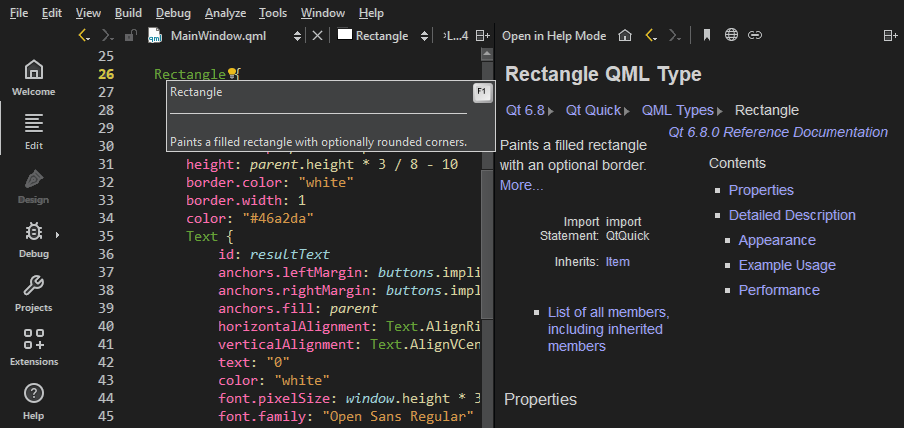
若要指定帮助始终以全屏模式或在外部窗口中打开,请转至“Preferences ” > “Help ” > “General ”。
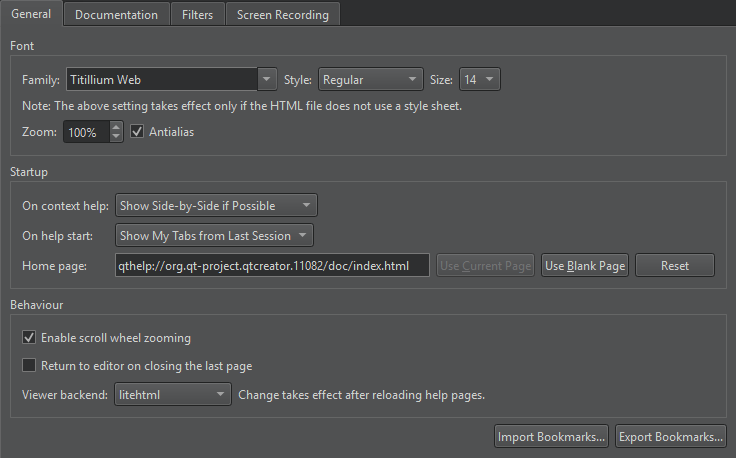
在“On context help ”中设置查看上下文相关帮助的偏好设置。若要分离帮助窗口,请选择“Always Show in External Window ”。
要在帮助视图中更改此设置,请选择 。
。
另请参阅 《操作指南:阅读文档》。
Copyright © The Qt Company Ltd. and other contributors. Documentation contributions included herein are the copyrights of their respective owners. The documentation provided herein is licensed under the terms of the GNU Free Documentation License version 1.3 as published by the Free Software Foundation. Qt and respective logos are trademarks of The Qt Company Ltd in Finland and/or other countries worldwide. All other trademarks are property of their respective owners.
