
分离视图
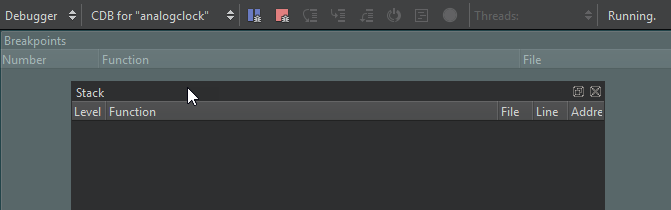
您可以将带有“ ”图标的Qt Creator 视图分离出来。随后,您可以将其移动到屏幕上的其他位置,或移动到其他屏幕上。
要分离视图:
- 双击视图的标题栏。
- 用鼠标拖动视图的标题栏,将视图移动到屏幕上的其他位置。
- 选择“ ”。
要显示视图的标题栏,请选择“View ” > “Views ”,并取消勾选“Automatically Hide Title Bars ”。
固定视图
要将视图固定,请将其拖动到高亮显示的停靠区域。
还原更改
要打开已关闭的视图,请选择“View ” > “Views ”。
要撤销更改,请选择“View ” > “Views ” > “Reset to Default Layout ”。
另请参阅 “操作指南:调整用户界面”和“调整用户界面”。
Copyright © The Qt Company Ltd. and other contributors. Documentation contributions included herein are the copyrights of their respective owners. The documentation provided herein is licensed under the terms of the GNU Free Documentation License version 1.3 as published by the Free Software Foundation. Qt and respective logos are trademarks of The Qt Company Ltd in Finland and/or other countries worldwide. All other trademarks are property of their respective owners.
