
使用 Gerrit 审查代码
如果您的 Git 项目使用 Gerrit 进行代码审查,您可以在Qt Creator 上查看您的更改。
要将已提交的更改推送到 Gerrit,请访问Tools >Git >Remote Repository >Push to Gerrit 。
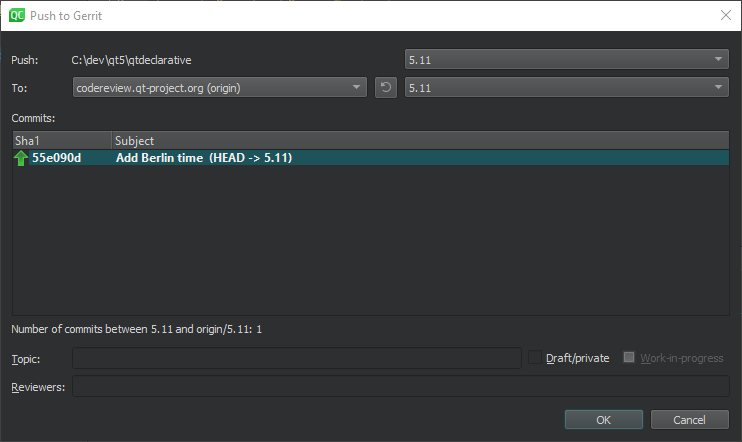
“推送到 Gerrit”对话框
将草稿推送到 Gerrit
选择“Draft/private ”可推送仅对您和审阅者可见的更改。如果您使用的是 Gerrit 2.15 或更高版本,则可选择“Work-in-progress ”来推送不会触发电子邮件通知的更改。
以 Gerrit 中的方式查看更改
若要查看与 Gerrit Web 界面中相同的每项更改信息,请访问Tools >Git >Remote Repository >Gerrit 。
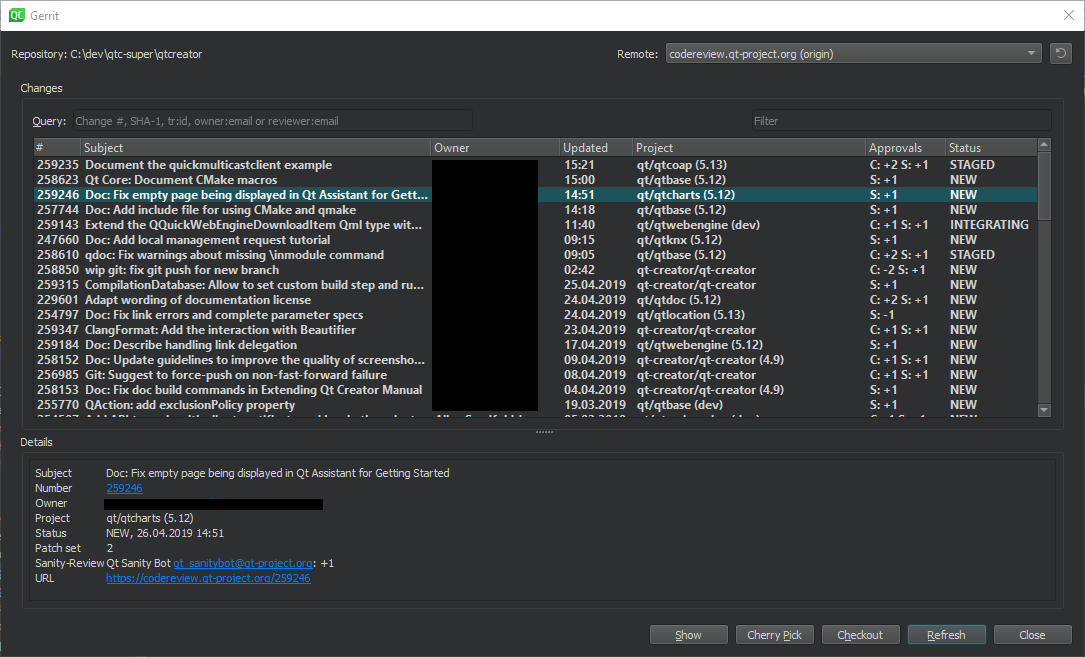
Gerrit 视图
查看变更详情
要查看所选更改的详细信息,请选择Show 。
有选择地合并更改
要将选定的变更有选择地合并到本地仓库,请选择“Cherry Pick ”。要在测试后删除该变更,请选择“Tools ” > “Git ” > “Local Repository ” > “Reset ”。在“Undo Changes to ”对话框中,选择要将工作目录重置为的状态,然后选择“OK ”。
检出更改
要在“脱离 HEAD”状态下检出更改,请选择“Checkout ”。
刷新更改
要刷新更改列表,请选择“Refresh ”。
Remote 列出了当前仓库中被检测为 Gerrit 服务器的远程仓库。请转至Preferences >Version Control >Gerrit ,以指定通过 SSH 连接 Gerrit 服务器的备用连接。HTTP 连接使用 Gerrit REST 接口和curl工具。
如果 Gerrit 未自动添加https ,请选择HTTPS 以在 Gerrit URL 前添加该前缀。
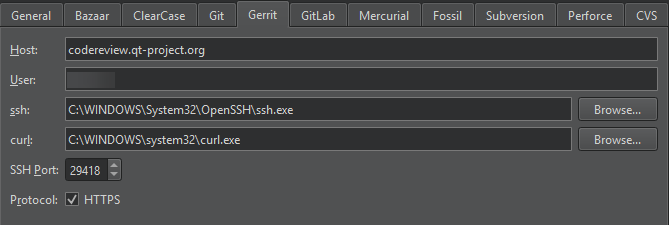
“版本控制”首选项中的“Gerrit”选项卡
另请参阅 《如何使用 Git》和《Git 使用指南》。
Copyright © The Qt Company Ltd. and other contributors. Documentation contributions included herein are the copyrights of their respective owners. The documentation provided herein is licensed under the terms of the GNU Free Documentation License version 1.3 as published by the Free Software Foundation. Qt and respective logos are trademarks of The Qt Company Ltd in Finland and/or other countries worldwide. All other trademarks are property of their respective owners.
