
解析文件
当您打开一个项目时,Qt Creator 会解析项目中的源文件,并执行语义分析,以构建代码编辑服务(如导航和查找用法)所需的信息。
选择解析上下文
代码在不同的上下文中可能被解释为不同的含义。一个文件可能被具有不同定义的不同项目或子项目所使用,或者它可能被包含在 C、C++、Objective-C 或 Objective-C++ 的上下文中。
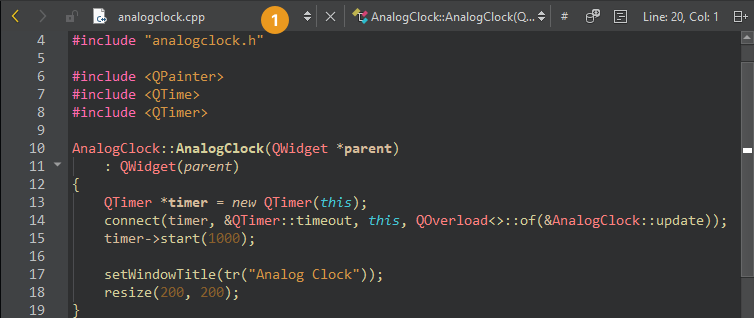
要更改当前解析上下文,请在“# ”的“Edit ”模式工具栏中选择一个可用的解析上下文。只有当有多个解析上下文可用时,该按钮才会显示。
要重置解析上下文,请转到“# ” > “Clear Preferred Parse Context ”。
如果项目解析所需的信息仍然不完整或不正确,请转到“Additional Preprocessor Directives ”以添加预处理器指令。
重新解析外部修改的文件
如果源文件在Qt Creator 外部被修改,则已打开的文件 (1) 将自动重新解析。要更新其他文件,请转至Tools >C++ >Reparse Externally Changed Files 以更新代码模型。
另请参阅 《操作指南:编辑代码》、《编辑代码》、《Clang 代码模型》和《代码模型》。
Copyright © The Qt Company Ltd. and other contributors. Documentation contributions included herein are the copyrights of their respective owners. The documentation provided herein is licensed under the terms of the GNU Free Documentation License version 1.3 as published by the Free Software Foundation. Qt and respective logos are trademarks of The Qt Company Ltd in Finland and/or other countries worldwide. All other trademarks are property of their respective owners.
