
使用 Git for Windows
如果您仅将 Git 配置为与git bash 配合使用,并且采用 SSH 认证,Git 会在HOME 环境变量所指向的目录中查找 SSH 密钥。该变量始终由git bash 设置。
然而,在 Windows 命令提示符中通常不会设置该变量。当您从 Windows 命令提示符运行 Git 时,它会在其安装目录中查找 SSH 密钥,因此认证会失败。
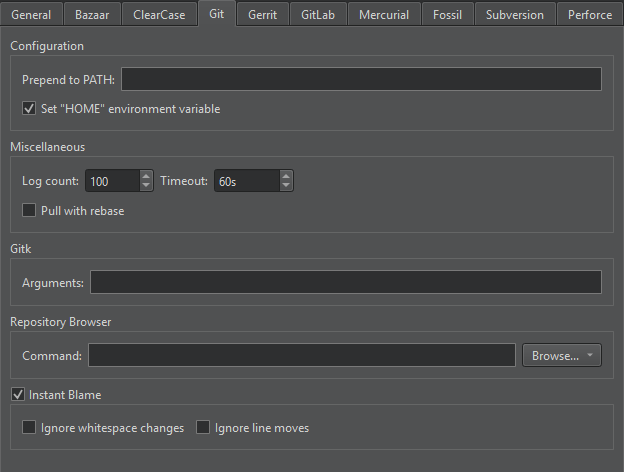
您可以通过Qt Creator 设置HOME 环境变量。请访问Preferences >Version Control >Git ,然后选择Set "HOME" environment variable 。当运行 Git 可执行文件时,HOME 将被设置为%HOMEDRIVE%%HOMEPATH% ,此时身份验证将与通过git bash 运行时一样正常工作。
另请参阅 《如何:使用 Git》、《比较文件》、《设置版本控制系统》和《版本控制系统》。
Copyright © The Qt Company Ltd. and other contributors. Documentation contributions included herein are the copyrights of their respective owners. The documentation provided herein is licensed under the terms of the GNU Free Documentation License version 1.3 as published by the Free Software Foundation. Qt and respective logos are trademarks of The Qt Company Ltd in Finland and/or other countries worldwide. All other trademarks are property of their respective owners.
