
使用禅模式
默认情况下,Edit 模式会显示模式选择器(1),以及左右侧边栏(2和3)。
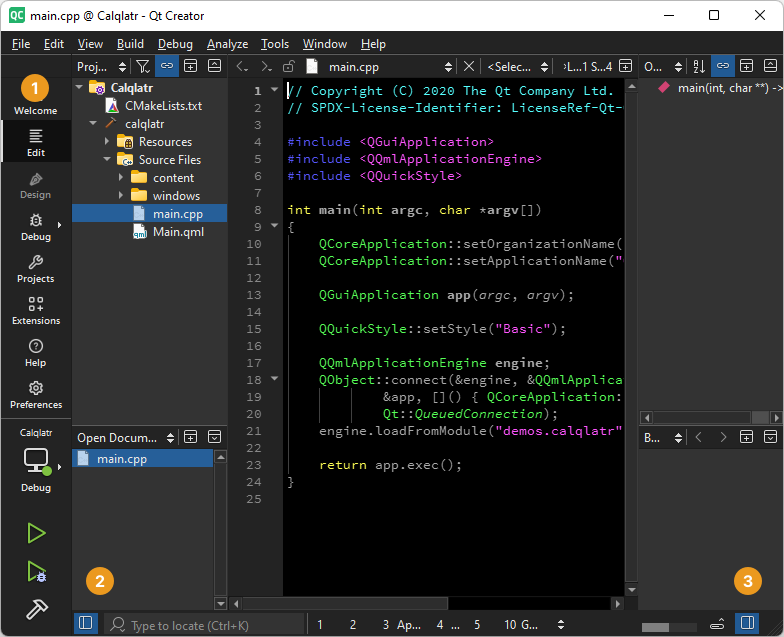
编辑模式下,模式选择器和侧边栏均可见。
“禅模式”扩展提供可隐藏用户界面元素的模式,以便您专注于编辑代码。
在“Extensions ”模式下激活Zen Mode 扩展。有关扩展的更多信息,请参阅“激活扩展”。
切换无干扰模式
无干扰模式会关闭模式选择器(1)、左右侧边栏(2 和 3)以及其他视图。
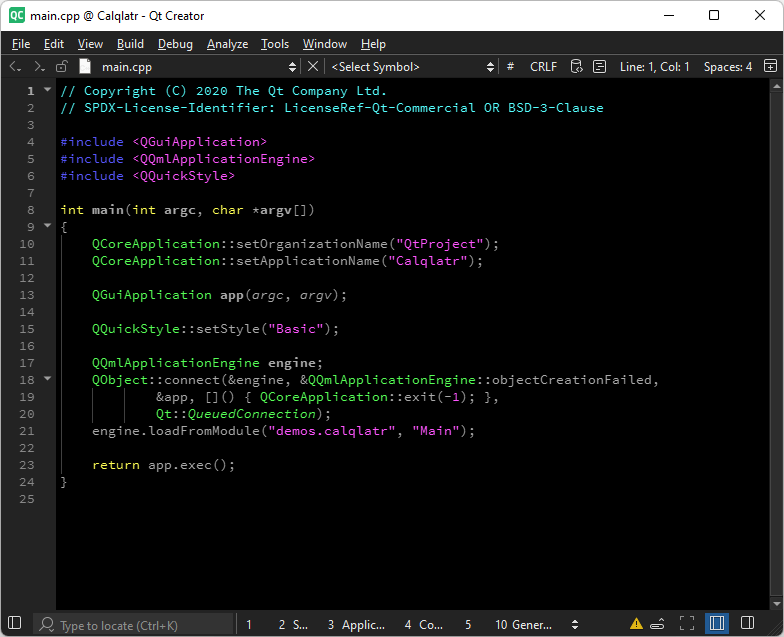
无干扰模式已开启。
要切换无干扰模式:
- 选择“
 ”。
”。 - 前往“Tools ” > “Zen Mode ”,然后选择“Toggle Distraction Free Mode ”。
- 按Shift+Esc。
切换禅模式
禅模式会关闭模式选择器(1)、左右侧边栏(2 和 3)及其他视图,将Qt Creator 切换为全屏模式,并隐藏主菜单栏。
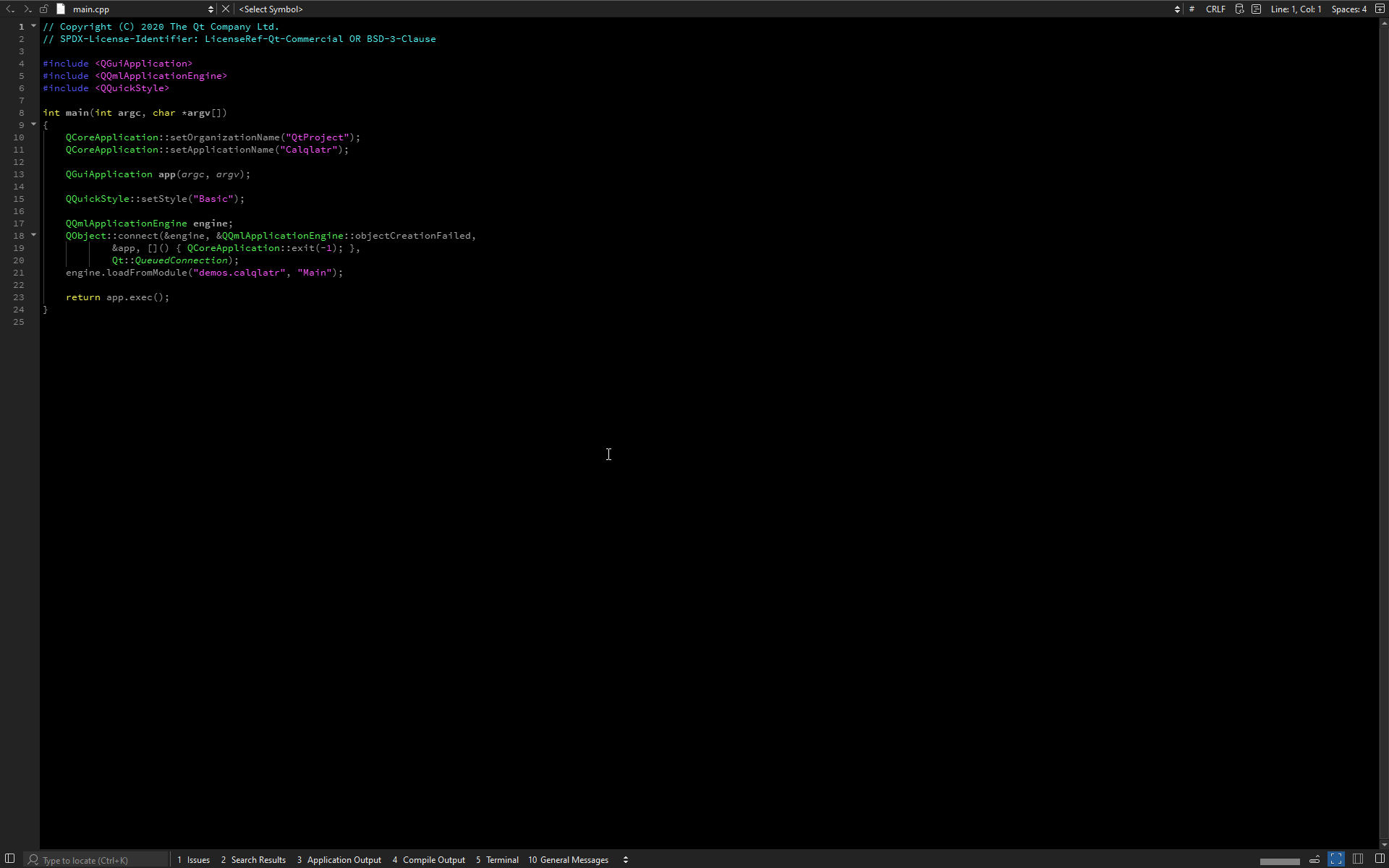
禅模式已开启。
要切换禅模式:
- 选择“
 ”。
”。 - 前往“Tools ” > “Zen Mode ”,然后选择“Toggle Zen Mode ”。
- 按下Alt+Shift+Z。
设置“禅模式”首选项
要设置“禅模式”扩展程序的偏好设置,请前往“Preferences ” > “Zen Mode ”。
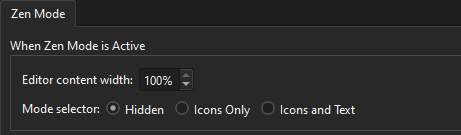
您可以设置编辑器内容区域的宽度,并配置模式激活时的模式选择器外观。
另请参阅 《如何:调整用户界面》。
Copyright © The Qt Company Ltd. and other contributors. Documentation contributions included herein are the copyrights of their respective owners. The documentation provided herein is licensed under the terms of the GNU Free Documentation License version 1.3 as published by the Free Software Foundation. Qt and respective logos are trademarks of The Qt Company Ltd in Finland and/or other countries worldwide. All other trademarks are property of their respective owners.
