
Qt 문서 읽기
Qt 또는 Qt for Python (에디터에서 열려 있는 파일의 유형에 따라) 열려면 Command Palette 로 이동하여 ‘ Qt: Documentation: Open homepage ’를 선택하세요.
문서는 Visual Studio Code의 Simple Browser에서 열립니다. 다른 브라우저에서 열려면 Qt 설정에서 Open Online Documentation in External Browser 을 선택하십시오.
문서 찾기
편집기에서 선택한 단어(예: 클래스 또는 함수 이름)에 대한 문서를 찾으려면:
- 에디터에서 단어를 선택합니다.
- Command Palette 로 이동하여 Qt: Documentation: Search for the current word 를 선택합니다.
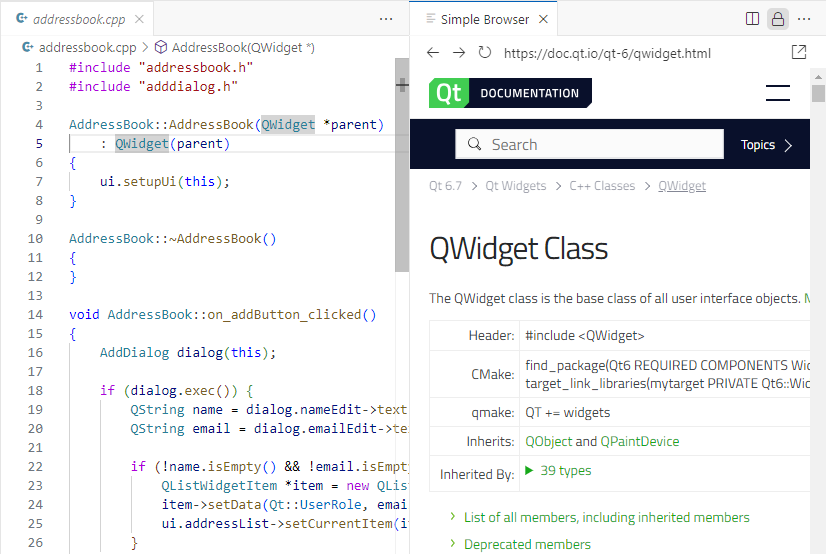
Simple Browser에서 Qt 문서가 열립니다.
문서에서 특정 텍스트를 찾으려면:
- Command Palette 로 이동하여 ‘ Qt: Documentation: Search ’를 선택합니다.
- 검색어를 입력하고 Enter 키를 누릅니다.
Qt 설정도 참조하십시오 .
© 2026 The Qt Company Ltd. Documentation contributions included herein are the copyrights of their respective owners. The documentation provided herein is licensed under the terms of the GNU Free Documentation License version 1.3 as published by the Free Software Foundation. Qt and respective logos are trademarks of The Qt Company Ltd in Finland and/or other countries worldwide. All other trademarks are property of their respective owners.
