
문제 신고
Qt 프로젝트 버그 트래커에 버그를 신고하거나 개선 제안을 제출하려면:
- Welcome 로 이동한 후, ‘ Bug report ’를 선택하여 버그 트래커를 엽니다.
- Project 에서 ‘ VS Code Extension ’를 선택합니다.
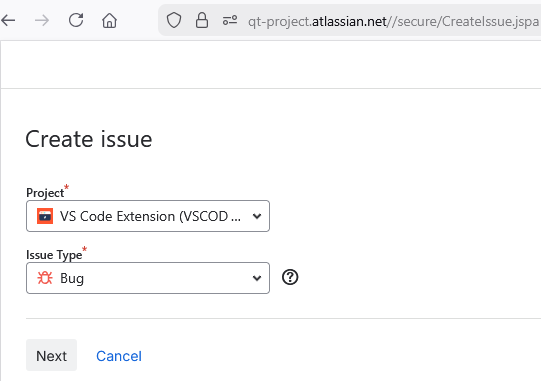
- Issue Type 에서 이슈 유형을 선택하십시오.
- Next 를 선택하여 세부 정보를 입력하고 이슈를 생성하십시오.
© 2026 The Qt Company Ltd. Documentation contributions included herein are the copyrights of their respective owners. The documentation provided herein is licensed under the terms of the GNU Free Documentation License version 1.3 as published by the Free Software Foundation. Qt and respective logos are trademarks of The Qt Company Ltd in Finland and/or other countries worldwide. All other trademarks are property of their respective owners.
