
Uso de gráficos polares con QML
Nota: Esto es parte del ejemplo de la Galería de Gráficos con QML.
Comenzamos con un gráfico que tiene una serie spline y una serie de dispersión con datos aleatorios. Ambas series utilizan los mismos ejes.
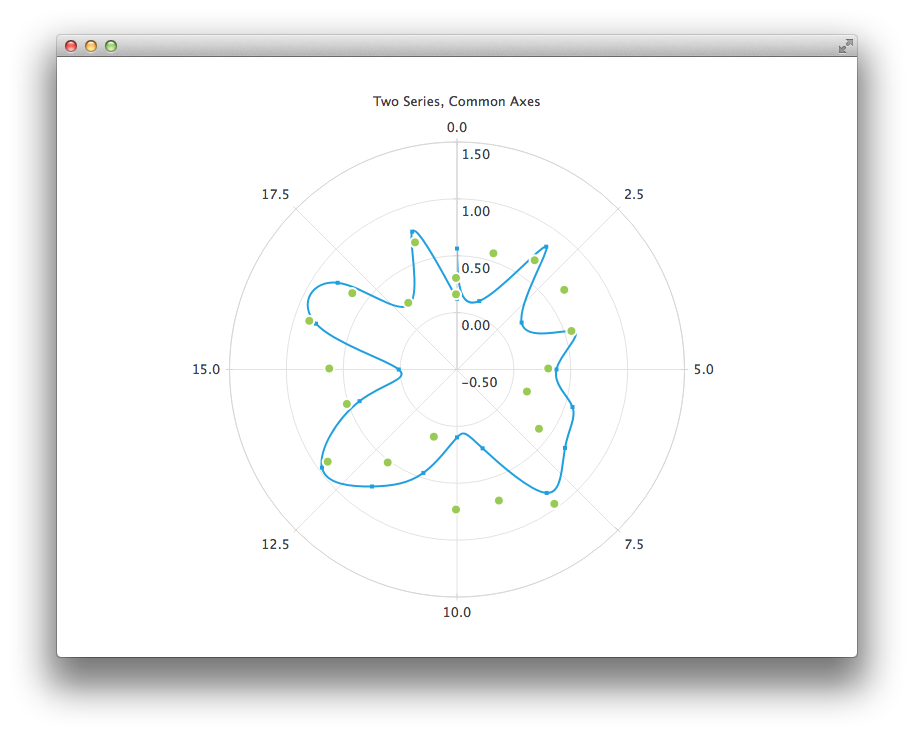
PolarChartView {
    title: "Two Series, Common Axes"
    anchors.fill: parent
    legend.visible: false
    antialiasing: true

    ValueAxis {
        id: axisAngular
        min: 0
        max: 20
        tickCount: 9
    }

    ValueAxis {
        id: axisRadial
        min: -0.5
        max: 1.5
    }

    SplineSeries {
        id: series1
        axisAngular: axisAngular
        axisRadial: axisRadial
        pointsVisible: true
    }

    ScatterSeries {
        id: series2
        axisAngular: axisAngular
        axisRadial: axisRadial
        markerSize: 10
    }

    // Add data dynamically to the series
    Component.onCompleted: {
        for (var i = 0; i <= 20; i++) {
            series1.append(i, Math.random());
            series2.append(i, Math.random());
        }
    }
}
El siguiente gráfico muestra algunos datos históricos precisos para los cuales necesitamos usar un DateTimeAxis y un AreaSeries.
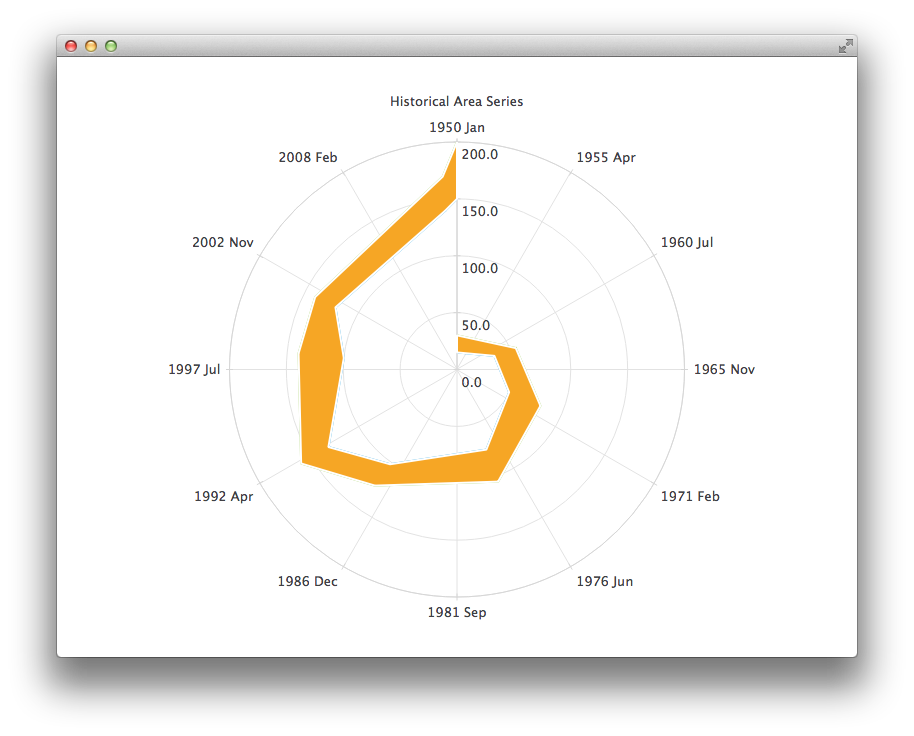
PolarChartView {
    id: root
    title: "Historical Area Chart"
    anchors.fill: parent
    legend.visible: false
    antialiasing: true

    DateTimeAxis {
        id: axis1
        format: "yyyy MMM"
        tickCount: 13
    }
    ValueAxis {
        id: axis2
    }
    LineSeries {
        id: lowerLine
        axisAngular: axis1
        axisRadial: axis2

        // Please note that month in JavaScript months are zero based, so 2 means March
        XYPoint { x: root.toMsecsSinceEpoch(new Date(1950, 0, 1)); y: 15 }
        XYPoint { x: root.toMsecsSinceEpoch(new Date(1962, 4, 1)); y: 35 }
        XYPoint { x: root.toMsecsSinceEpoch(new Date(1970, 0, 1)); y: 50 }
        XYPoint { x: root.toMsecsSinceEpoch(new Date(1978, 2, 1)); y: 75 }
        XYPoint { x: root.toMsecsSinceEpoch(new Date(1987, 11, 1)); y: 102 }
        XYPoint { x: root.toMsecsSinceEpoch(new Date(1992, 1, 1)); y: 132 }
        XYPoint { x: root.toMsecsSinceEpoch(new Date(1998, 7, 1)); y: 100 }
        XYPoint { x: root.toMsecsSinceEpoch(new Date(2002, 4, 1)); y: 120 }
        XYPoint { x: root.toMsecsSinceEpoch(new Date(2012, 8, 1)); y: 140 }
        XYPoint { x: root.toMsecsSinceEpoch(new Date(2013, 5, 1)); y: 150 }
    }
    LineSeries {
        id: upperLine
        axisAngular: axis1
        axisRadial: axis2

        // Please note that month in JavaScript months are zero based, so 2 means March
        XYPoint { x: root.toMsecsSinceEpoch(new Date(1950, 0, 1)); y: 30 }
        XYPoint { x: root.toMsecsSinceEpoch(new Date(1962, 4, 1)); y: 55 }
        XYPoint { x: root.toMsecsSinceEpoch(new Date(1970, 0, 1)); y: 80 }
        XYPoint { x: root.toMsecsSinceEpoch(new Date(1978, 2, 1)); y: 105 }
        XYPoint { x: root.toMsecsSinceEpoch(new Date(1987, 11, 1)); y: 125 }
        XYPoint { x: root.toMsecsSinceEpoch(new Date(1992, 1, 1)); y: 160 }
        XYPoint { x: root.toMsecsSinceEpoch(new Date(1998, 7, 1)); y: 140 }
        XYPoint { x: root.toMsecsSinceEpoch(new Date(2002, 4, 1)); y: 140 }
        XYPoint { x: root.toMsecsSinceEpoch(new Date(2012, 8, 1)); y: 170 }
        XYPoint { x: root.toMsecsSinceEpoch(new Date(2013, 5, 1)); y: 200 }
    }
    AreaSeries {
        axisAngular: axis1
        axisRadial: axis2
        lowerSeries: lowerLine
        upperSeries: upperLine
    }

    // DateTimeAxis is based on QDateTimes so we must convert our JavaScript dates to
    // milliseconds since epoch to make them match the DateTimeAxis values
    function toMsecsSinceEpoch(date) {
        var msecs = date.getTime();
        return msecs;
    }
}
El siguiente gráfico utiliza un CategoryAxis para facilitar la comprensión de los datos.
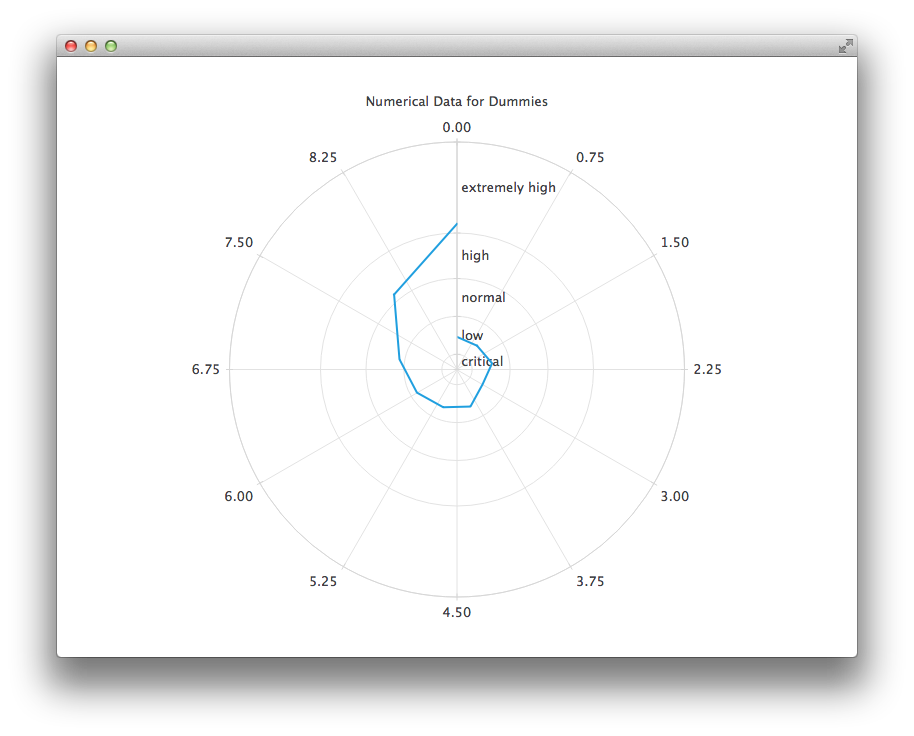
PolarChartView {
    title: "Numerical Data for Dummies"
    anchors.fill: parent
    legend.visible: false
    antialiasing: true

    LineSeries {
        axisRadial: CategoryAxis {
            min: 0
            max: 30
            CategoryRange {
                label: "critical"
                endValue: 2
            }
            CategoryRange {
                label: "low"
                endValue: 7
            }
            CategoryRange {
                label: "normal"
                endValue: 12
            }
            CategoryRange {
                label: "high"
                endValue: 18
            }
            CategoryRange {
                label: "extremely high"
                endValue: 30
            }
        }

        axisAngular: ValueAxis {
            tickCount: 13
        }

        XYPoint { x: 0; y: 4.3 }
        XYPoint { x: 1; y: 4.1 }
        XYPoint { x: 2; y: 4.7 }
        XYPoint { x: 3; y: 3.9 }
        XYPoint { x: 4; y: 5.2 }
        XYPoint { x: 5; y: 5.3 }
        XYPoint { x: 6; y: 6.1 }
        XYPoint { x: 7; y: 7.7 }
        XYPoint { x: 8; y: 12.9 }
        XYPoint { x: 9; y: 19.2 }
    }
}
© 2026 The Qt Company Ltd. Documentation contributions included herein are the copyrights of their respective owners. The documentation provided herein is licensed under the terms of the GNU Free Documentation License version 1.3 as published by the Free Software Foundation. Qt and respective logos are trademarks of The Qt Company Ltd. in Finland and/or other countries worldwide. All other trademarks are property of their respective owners.
