
QLegend Class
QLegend 类用于显示图表的图例。更多...
| Header: | #include <QLegend> |
| In QML: | Legend |
| Inherits: | QGraphicsWidget |
| Status: | Deprecated |
该类已弃用。我们强烈建议不要在新代码中使用它。
公共类型
| enum | MarkerShape { MarkerShapeDefault, MarkerShapeRectangle, MarkerShapeCircle, MarkerShapeRotatedRectangle, MarkerShapeTriangle, …, MarkerShapeFromSeries } |
属性
|
|
公共函数
| virtual | ~QLegend() |
| Qt::Alignment | alignment() const |
| void | attachToChart() |
| QColor | borderColor() |
| QBrush | brush() const |
| QColor | color() |
| void | detachFromChart() |
| QFont | font() const |
| bool | isAttachedToChart() |
| bool | isBackgroundVisible() const |
(since 6.2) bool | isInteractive() const |
| QBrush | labelBrush() const |
| QColor | labelColor() const |
| QLegend::MarkerShape | markerShape() const |
| QList<QLegendMarker *> | markers(QAbstractSeries *series = nullptr) const |
| QPen | pen() const |
| bool | reverseMarkers() |
| void | setAlignment(Qt::Alignment alignment) |
| void | setBackgroundVisible(bool visible = true) |
| void | setBorderColor(QColor color) |
| void | setBrush(const QBrush &brush) |
| void | setColor(QColor color) |
| void | setFont(const QFont &font) |
(since 6.2) void | setInteractive(bool interactive) |
| void | setLabelBrush(const QBrush &brush) |
| void | setLabelColor(QColor color) |
| void | setMarkerShape(QLegend::MarkerShape shape) |
| void | setPen(const QPen &pen) |
| void | setReverseMarkers(bool reverseMarkers = true) |
| void | setShowToolTips(bool show) |
| bool | showToolTips() const |
信号
(since 6.2) void | attachedToChartChanged(bool attached) |
| void | backgroundVisibleChanged(bool visible) |
| void | borderColorChanged(QColor color) |
| void | colorChanged(QColor color) |
| void | fontChanged(QFont font) |
| void | labelColorChanged(QColor color) |
| void | markerShapeChanged(QLegend::MarkerShape shape) |
| void | reverseMarkersChanged(bool reverseMarkers) |
| void | showToolTipsChanged(bool showToolTips) |
详细说明
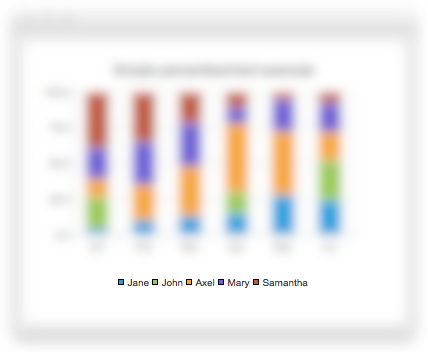
图例是一种用于显示图表图例的图形对象。当数据系列发生变化时,QChart 会更新图例的状态。默认情况下,图例与图表绑定,但可以将其分离,使其独立于图表布局。无法直接创建或删除图例对象,但可以通过QChart 类对其进行引用。
另请参阅 QChart 。
成员类型文档
enum QLegend::MarkerShape
此枚举描述了渲染图例标记项时使用的形状。
| 常量 | 值 | 描述 |
|---|---|---|
QLegend::MarkerShapeDefault | 0 | 标记将使用由QLegend 确定的默认形状。此值仅适用于单个 QLegendMarker 项目。 |
QLegend::MarkerShapeRectangle | 1 | 使用矩形标记。标记大小由字体大小决定。 |
QLegend::MarkerShapeCircle | 2 | 使用圆形标记。标记大小由字体大小决定。 |
QLegend::MarkerShapeRotatedRectangle | 4 | 使用旋转的矩形标记。标记大小由字体大小决定。 |
QLegend::MarkerShapeTriangle | 5 | 使用三角形标记。标记大小由字体大小决定。 |
QLegend::MarkerShapeStar | 6 | 使用星形标记。标记大小由字体大小决定。 |
QLegend::MarkerShapePentagon | 7 | 使用五边形标记。标记大小由字体大小决定。 |
QLegend::MarkerShapeFromSeries | 3 | 标记形状由数据系列决定。如果是散点图系列,图例标记看起来像散点,且大小与该散点相同。如果是折线图或样条曲线系列,图例标记看起来像该线段的一小段。 对于其他系列类型,将显示矩形标记。如果为系列指定了lightMarker ,则会显示lightMarker ,其大小由系列标记大小决定。 |
另请参阅 markerShape 。
属性文档
alignment : Qt::Alignment
图例如何与图表对齐。
可选值为:Qt::AlignTop 、Qt::AlignBottom 、Qt::AlignLeft 、Qt::AlignRight 。若设置多个标志,结果将未定义。
访问函数:
| Qt::Alignment | alignment() const |
| void | setAlignment(Qt::Alignment alignment) |
backgroundVisible : bool
该属性控制图例背景是否可见。
访问函数:
| bool | isBackgroundVisible() const |
| void | setBackgroundVisible(bool visible = true) |
通知信号:
| void | backgroundVisibleChanged(bool visible) |
borderColor : QColor
该属性用于指定图例的线条颜色。
访问函数:
| QColor | borderColor() |
| void | setBorderColor(QColor color) |
通知信号:
| void | borderColorChanged(QColor color) |
color : QColor
此属性用于设置图例的背景(笔刷)颜色。
如果更改图例的颜色,图例画笔的样式将设置为Qt::SolidPattern 。
访问函数:
| QColor | color() |
| void | setColor(QColor color) |
通知信号:
| void | colorChanged(QColor color) |
font : QFont
此属性用于指定图例中标记所使用的字体。
访问函数:
| QFont | font() const |
| void | setFont(const QFont &font) |
通知信号:
| void | fontChanged(QFont font) |
labelColor : QColor
该属性保存用于绘制标签的画笔颜色。
访问函数:
| QColor | labelColor() const |
| void | setLabelColor(QColor color) |
通知信号:
| void | labelColorChanged(QColor color) |
markerShape : MarkerShape
图例标记的默认形状。默认值为MarkerShapeRectangle 。
访问函数:
| QLegend::MarkerShape | markerShape() const |
| void | setMarkerShape(QLegend::MarkerShape shape) |
通知器信号:
| void | markerShapeChanged(QLegend::MarkerShape shape) |
reverseMarkers : bool
该属性控制图例中的标记是否按反向顺序排列。
该属性默认值为false 。
访问函数:
| bool | reverseMarkers() |
| void | setReverseMarkers(bool reverseMarkers = true) |
通知信号:
| void | reverseMarkersChanged(bool reverseMarkers) |
showToolTips : bool
该属性控制文本被截断时是否显示工具提示。
该属性默认值为false 。
访问函数:
| bool | showToolTips() const |
| void | setShowToolTips(bool show) |
通知信号:
| void | showToolTipsChanged(bool showToolTips) |
成员函数文档
[virtual noexcept] QLegend::~QLegend()
销毁图例对象。图例始终由 QChart 拥有,因此应用程序绝不应调用此函数。
void QLegend::attachToChart()
将图例附加到图表上。图表可能会调整图例的布局。
[signal, since 6.2] void QLegend::attachedToChartChanged(bool attached)
当图例被attached 添加到图表或从图表中移除时,会发出此信号。
该函数自 Qt 6.2 起引入。
[signal] void QLegend::backgroundVisibleChanged(bool visible)
当图例背景的可见性变为visible 时,会触发此信号。
注意: 这是属性backgroundVisible 的Notifier 信号。
[signal] void QLegend::borderColorChanged(QColor color)
当图例背景的边框颜色变为color 时,会发出此信号。
注意: 这是属性borderColor 的Notifier 信号。
QBrush QLegend::brush() const
返回图例所使用的画笔。
另请参阅 setBrush()。
[signal] void QLegend::colorChanged(QColor color)
当图例背景色变为color 时,会发出此信号。
注意: 这是属性color 的通知器 信号。
void QLegend::detachFromChart()
将图例从图表中分离出来。图表将不再调整图例的布局。
[signal] void QLegend::fontChanged(QFont font)
当图例中标记的字体更改为font 时,会发出此信号。
注意: 这是属性font 的Notifier 信号。
bool QLegend::isAttachedToChart()
如果图例与图表相关联,则返回true 。
bool QLegend::isBackgroundVisible() const
返回图例背景的可见性。
注意: 这是属性backgroundVisible 的获取器 函数。
[since 6.2] bool QLegend::isInteractive() const
返回当图例与主窗口分离时,是否可以使用鼠标对其进行拖动或调整大小。
该函数在 Qt 6.2 中引入。
另请参阅 QLegend::setInteractive()。
QBrush QLegend::labelBrush() const
返回用于绘制标签的画笔。
另请参阅 setLabelBrush()。
[signal] void QLegend::labelColorChanged(QColor color)
当用于绘制图例标签的画笔颜色变为color 时,会发出此信号。
注意: 这是属性labelColor的通知器 信号。
[signal] void QLegend::markerShapeChanged(QLegend::MarkerShape shape)
当图例标记的形状变为shape 时,将发出此信号。
注意: 这是属性markerShape的通知器 信号。
QList<QLegendMarker *> QLegend::markers(QAbstractSeries *series = nullptr) const
返回图例中的标记列表。可以通过指定要返回标记的series 来过滤该列表。
QPen QLegend::pen() const
返回图例所使用的画笔。
另请参阅 setPen()。
[signal] void QLegend::reverseMarkersChanged(bool reverseMarkers)
当图例中标记的逆序设置更改为reverseMarkers 时,将发出此信号。
注意: 这是属性reverseMarkers的通知器 信号。
void QLegend::setBackgroundVisible(bool visible = true)
将图例背景的可见性设置为visible 。
注意: 这是属性 `backgroundVisible`的设置 函数。
另请参阅 isBackgroundVisible()。
void QLegend::setBrush(const QBrush &brush)
设置用于绘制图例背景的brush 。
另请参阅 brush()。
[since 6.2] void QLegend::setInteractive(bool interactive)
当interactive 设置为true 且图例处于未附着状态时,可像移动窗口一样使用鼠标移动和调整图例的大小。
将图例拖离图表边缘时,图例会自动附着在该边缘上。双击已附着的图例可将其分离。默认情况下,false 即为该状态。
该功能在 Qt 6.2 中引入。
另请参阅 QLegend::isInteractive()。
void QLegend::setLabelBrush(const QBrush &brush)
将用于绘制图例标签的画笔设置为brush 。
另请参阅 labelBrush()。
void QLegend::setPen(const QPen &pen)
设置用于绘制图例边框的pen 。
另请参阅 pen()。
void QLegend::setShowToolTips(bool show)
当show 设置为true 时,如果图例标签本身以缩写形式显示,则鼠标悬停在标签上时会显示工具提示。默认情况下,此属性为false 。
注意: 这是属性showToolTips 的设置 函数。
另请参阅 showToolTips()。
bool QLegend::showToolTips() const
返回当图例标签被省略时,是否显示其工具提示。
注意: 这是 showToolTips 属性的获取 函数。
另请参阅 ` setShowToolTips()`。
[signal] void QLegend::showToolTipsChanged(bool showToolTips)
当工具提示的可见性被设置为showToolTips 时,会触发此信号。
注意: 这是属性showToolTips的通知器 信号。
© 2026 The Qt Company Ltd. Documentation contributions included herein are the copyrights of their respective owners. The documentation provided herein is licensed under the terms of the GNU Free Documentation License version 1.3 as published by the Free Software Foundation. Qt and respective logos are trademarks of The Qt Company Ltd. in Finland and/or other countries worldwide. All other trademarks are property of their respective owners.
