
Desaturate QML Type
降低颜色的饱和度。更多...
| Import Statement: | import Qt5Compat.GraphicalEffects |
| Since: | QtGraphicalEffects 1.0 |
| Inherits: |
属性
- cached : bool
- desaturation : real
- source : variant
详细说明
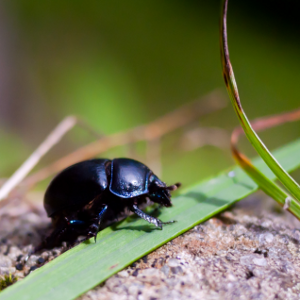
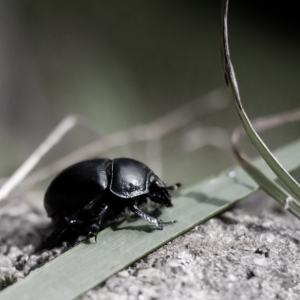
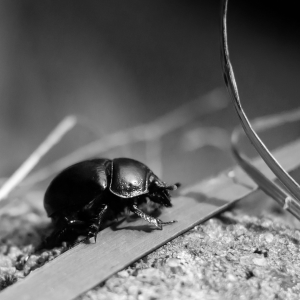
去饱和像素值是根据源项目的原始RGB分量值的平均值计算得出的。
| 源 | 应用效果 |
|---|---|
|
|
示例
以下示例展示了如何应用该效果。
import QtQuick
import Qt5Compat.GraphicalEffects

Item {
    width: 300
    height: 300

    Image {
        id: bug
        source: "images/bug.jpg"
        sourceSize: Qt.size(parent.width, parent.height)
        smooth: true
        visible: false
    }

    Desaturate {
        anchors.fill: bug
        source: bug
        desaturation: 0.8
    }
}
属性文档
cached : bool
此属性允许将效果输出像素缓存起来,以提升渲染性能。
每次更改源或效果属性时,缓存中的像素都必须更新。由于需要额外的内存缓冲区来存储效果输出,因此内存消耗会增加。
当源或效果属性被动画化时,建议禁用缓存。
默认情况下,该属性设置为false 。
desaturation : real
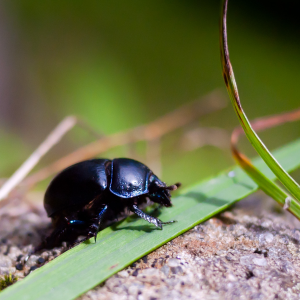
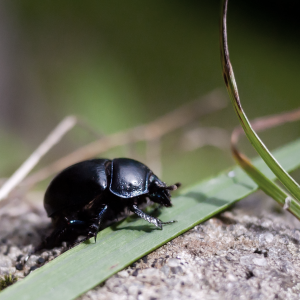
此属性定义源颜色的去饱和程度。
取值范围为 0.0(无变化)到 1.0(去饱和)。默认情况下,该属性设置为0.0 (无变化)。
| 不同去饱和度值下的输出示例 | ||
|---|---|---|
|
|
|
| 去饱和度:0.0 | 去饱和度:0.5 | 去饱和度:1.0 |
source : variant
此属性定义了为效果提供源像素的源项目。
注意: 不支持让效果包含其自身,例如将“源”设置为该效果的父级。
© 2026 The Qt Company Ltd. Documentation contributions included herein are the copyrights of their respective owners. The documentation provided herein is licensed under the terms of the GNU Free Documentation License version 1.3 as published by the Free Software Foundation. Qt and respective logos are trademarks of The Qt Company Ltd. in Finland and/or other countries worldwide. All other trademarks are property of their respective owners.
