
LineSeries QML Type
以折线图形式展示数据。更多...
| Import Statement: | import QtGraphs |
| In C++: | QLineSeries |
| Inherits: |
- 所有成员的列表,包括继承的成员
- LineSeries 是Qt Graphs 2D QML 类型库的一部分。
属性
- capStyle : Qt::PenCapStyle
- dashOffset : real
(since 6.11) - dashPattern : list<real>
(since 6.11) - joinStyle : Qt::PenJoinStyle
(since 6.11) - lineStyle : QLineSeries::LineStyle
(since 6.11) - pointDelegate : Component
- strokeStyle : enumeration
(since 6.11) - width : real
信号
- capStyleChanged()
- dashOffsetChanged(qreal newDashOffset)
(since 6.11) - dashPatternChanged(QList<qreal> newDashPattern)
(since 6.11) - joinStyleChanged(Qt::PenJoinStyle newJoinStyle)
(since 6.11) - lineStyleChanged(QLineSeries::LineStyle newLineStyle)
(since 6.11) - strokeStyleChanged(QLineSeries::StrokeStyle newStrokeStyle)
(since 6.11) - widthChanged()
方法
- point dataPointCoordinatesAt(real x, real y)
详细说明
折线图用于通过直线或阶梯连接的一系列数据点来展示信息。
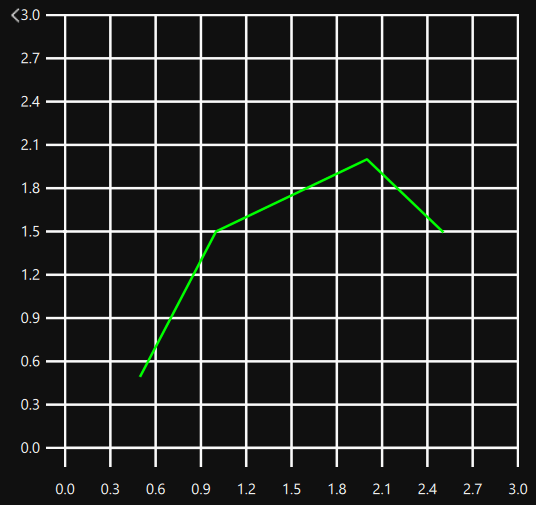
数据系列中可以包含空缺,此时使用NaN值,例如:
import QtGraphs

GraphsView {
    axisX: ValueAxis {
        max: 5
    }
    axisY: ValueAxis {
        max: 5
    }

    LineSeries {
        color: "#00ff00"
        joinStyle: Qt.RoundJoin

        XYPoint {
            x: 0.5
            y: 0.5
        }

        XYPoint {
            x: 1.1
            y: NaN
        }

        XYPoint {
            x: 1.9
            y: 3.3
        }

        XYPoint {
            x: 2.1
            y: 2.1
        }

        XYPoint {
            x: 5
            y: 4.9
        }
    }
}
或
QLineSeries *series = new QLineSeries();
series->append(0, 2);
series->append(2, 4);
series->append(3, std::numeric_limits<qreal>::quiet_NaN());
series->append(4, 1);
series->append(5, 0);
series->setLineStyle(QLineSeries::LineStyle::StepCenter);
series->setColor(Qt::red);
这将导致:
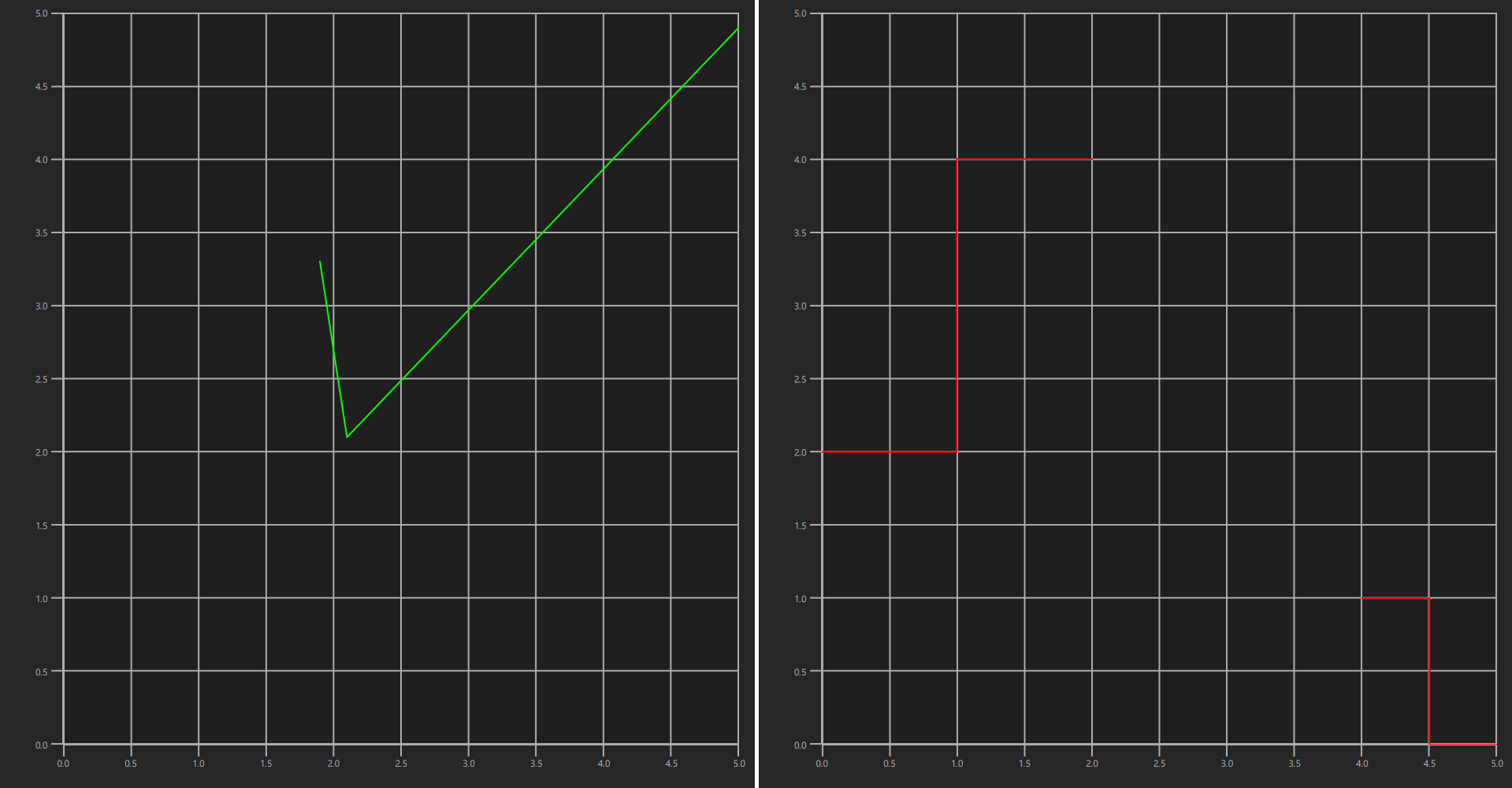
注意:如上 例中的第一张图所示 ,孤立的数据点(如数据序列中的第一个点)不会被渲染为连线,除非存在可见的pointDelegate
LineSeries 主要使用与ScatterSeries 相同的 API,因此请参阅ScatterSeries 文档以获取更多使用示例。
另请参阅 ScatterSeries 。
属性文档
capStyle : Qt::PenCapStyle
控制线的端点样式。可设置为以下值之一:Qt.FlatCap 、Qt.SquareCap 或Qt.RoundCap 。默认情况下,端点样式为 Qt.SquareCap。无效值将自动设置为默认值。
另请参阅 Qt::PenCapStyle 。
dashOffset : real [since 6.11]
此属性定义了虚线图案的起始点,其单位与指定虚线图案时所用的单位相同。
默认值为0 。
该属性自 Qt 6.11 起引入。
dashPattern : list<real> [since 6.11]
当strokeStyle 设置为LineSeries::DashLine 时,此属性定义连字符的排列模式。该模式必须指定为偶数个正数项,其中第1、3、5…项为连字符,第2、4、6…项为空格。该模式以行宽为单位进行指定。
默认值为 (4, 2),表示一个长度为 4 *width 像素的连线,后跟一个宽度为 2 *width 像素的空格。
该属性在 Qt 6.11 中引入。
joinStyle : Qt::PenJoinStyle [since 6.11]
控制线的连接样式。可设置为Qt.BevelJoin 、Qt.MiterJoin 或Qt.RoundJoin 之一。默认连接样式为Qt.BevelJoin。无效值将自动设为默认值。
该属性自 Qt 6.11 起引入。
另请参阅 Qt::PenJoinStyle 。
lineStyle : QLineSeries::LineStyle [since 6.11]
控制线条的样式。可设置为以下值之一:LineSeries.Straight 、LineSeries.StepLeft 、LineSeries.StepRight 或LineSeries.StepCenter 。默认情况下,线条样式为LineSeries 。直线。无效值将自动设置为默认值。
该属性自 Qt 6.11 起引入。
另请参阅 QLineSeries::LineStyle 。
pointDelegate : Component
使用给定的 QML 组件标记该点。
pointDelegate: Image {
    source: "images/happy_box.png"
}
strokeStyle : enumeration [since 6.11]
| 常数 | 描述 |
|---|---|
LineSeries.SolidLine | 一条实线。 |
LineSeries.DashLine | 由几个像素间隔开的短划线。 |
该属性在 Qt 6.11 中引入。
width : real
线的宽度。默认宽度为 2.0。小于 0 的宽度无效,将被自动设为 0。
Signal 文档
capStyleChanged()
当行系列盖帽样式发生变化时,会发出此信号。
注意: 相应的处理程序 为onCapStyleChanged 。
[since 6.11] dashOffsetChanged(qreal newDashOffset)
当线条系列的虚线偏移量发生变化时,会触发此信号。newDashOffset 参数存储新的虚线偏移量。
注意: 对应的处理函数 为onDashOffsetChanged 。
该信号在 Qt 6.11 中引入。
[since 6.11] dashPatternChanged(QList<qreal> newDashPattern)
当线条系列的实线-虚线图案发生变化时,会发出此信号。newDashPattern 参数存储新的虚线图案。
注意: 相应的处理函数 为onDashPatternChanged 。
该信号于 Qt 6.11 中引入。
[since 6.11] joinStyleChanged(Qt::PenJoinStyle newJoinStyle)
当线条系列的外观样式发生变化时,会发出此信号。newJoinStyle 参数存储新的连接样式。
注意: 相应的处理程序 为onJoinStyleChanged 。
该信号在 Qt 6.11 中引入。
[since 6.11] lineStyleChanged(QLineSeries::LineStyle newLineStyle)
当线条系列线型发生变化时,会触发此信号。newLineStyle 参数保存了新的线型。
注意: 相应的处理函数 为onLineStyleChanged 。
该信号于 Qt 6.11 中引入。
[since 6.11] strokeStyleChanged(QLineSeries::StrokeStyle newStrokeStyle)
当线条系列的笔画样式发生变化时,会触发此信号。newStrokeStyle 参数保存了新的笔画样式。
注意: 相应的处理程序 为onStrokeStyleChanged 。
该信号在 Qt 6.11 中引入。
widthChanged()
当线系列宽度发生变化时,会发出此信号。
注意: 相应的处理程序 为onWidthChanged 。
方法文档
point dataPointCoordinatesAt(real x, real y)
返回将x 和y 的渲染坐标转换为数据点坐标的结果。
© 2026 The Qt Company Ltd. Documentation contributions included herein are the copyrights of their respective owners. The documentation provided herein is licensed under the terms of the GNU Free Documentation License version 1.3 as published by the Free Software Foundation. Qt and respective logos are trademarks of The Qt Company Ltd. in Finland and/or other countries worldwide. All other trademarks are property of their respective owners.
