
QML 教程 1 - 值类型
第一个程序是一个非常简单的“Hello world”示例,用于介绍一些基本的 QML 概念。下图是该程序的屏幕截图。
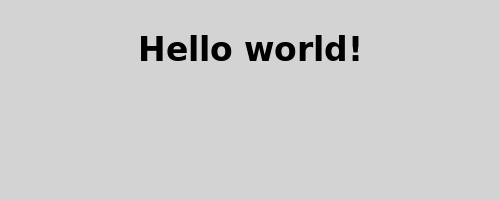
以下是该应用程序的 QML 代码:
import QtQuick

Rectangle {
    id: page
    width: 320; height: 480
    color: "lightgray"

    Text {
        id: helloText
        text: "Hello world!"
        y: 30
        anchors.horizontalCenter: page.horizontalCenter
        font.pointSize: 24; font.bold: true
    }
}
操作指南
导入
首先,我们需要导入本示例所需的类型。大多数 QML 文件都会通过以下方式导入 Qt 自带的内置 QML 类型(如Rectangle 、Image 等):
import QtQuickRectangle 类型
Rectangle {
    id: page
    width: 320; height: 480
color: "lightgray"我们声明一个类型为Rectangle 的根对象。这是在QML中创建应用程序可用的基本构建块之一。我们为其赋予一个id 以便后续引用。在此示例中,我们将其命名为“page”。 我们还设置了width 、height 和color 属性。Rectangle 类型包含许多其他属性(例如x 和y ),但这些属性保留其默认值。
文本类型
    Text {
        id: helloText
        text: "Hello world!"
        y: 30
        anchors.horizontalCenter: page.horizontalCenter
        font.pointSize: 24; font.bold: true
}我们将一个Text 类型作为根Rectangle类型的子元素,用于显示文本“Hello world!”。
y 属性用于将文本在垂直方向上定位在距离其父元素顶部 30 像素处。
anchors.horizontalCenter 属性指文本的水平中心位置。在此示例中,我们指定文本应在页面元素中水平居中(参见“基于锚点的布局”)。
font.pointSize 和font.bold 属性与字体相关,并采用点表示法。
查看示例
要查看您创建的内容,请运行qml 工具(位于bin 目录中),并将文件名作为第一个参数。例如,要从安装位置运行提供的完整“教程 1”示例,请输入:
qml tutorials/helloworld/tutorial1.qml© 2026 The Qt Company Ltd. Documentation contributions included herein are the copyrights of their respective owners. The documentation provided herein is licensed under the terms of the GNU Free Documentation License version 1.3 as published by the Free Software Foundation. Qt and respective logos are trademarks of The Qt Company Ltd. in Finland and/or other countries worldwide. All other trademarks are property of their respective owners.
