
StyleKit 自定义委托示例
演示了如何在StyleKit 中使用自定义委托和着色器效果。
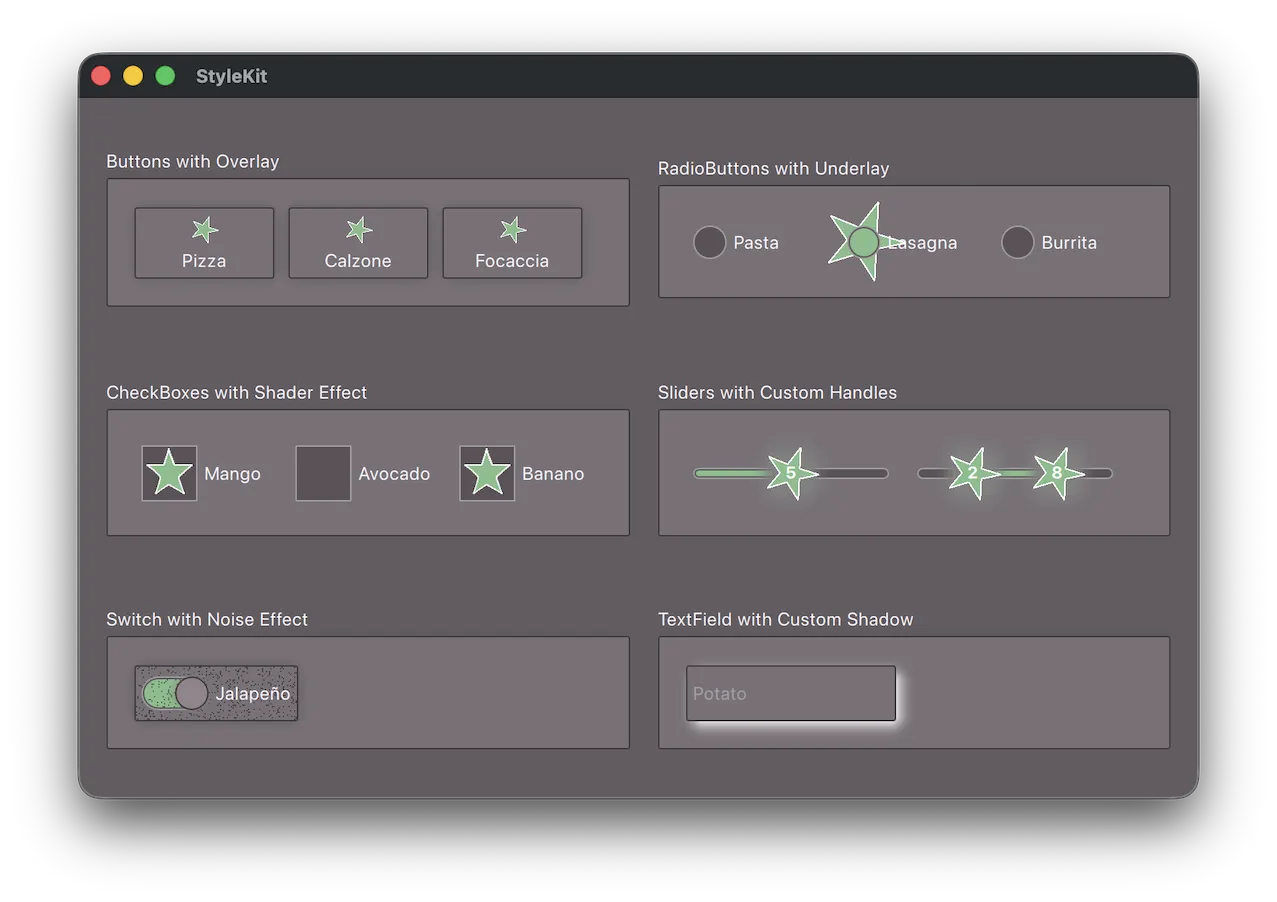
本示例演示了如何通过custom delegates 扩展StyleKit的样式功能,从而实现超出默认渲染范围的样式渲染。
它演示了如何:
- 通过继承StyledItem 并创建覆盖委托,在标准委托渲染的基础上添加自定义元素。
- 使用带有
delegateStyle和control属性的普通Item 创建底层委托,并在其上方嵌入StyledItem 以呈现标准外观。 - 使用data 属性将各状态下的数据传递给自定义委托。
- 结合使用ShaderEffect 、ShaderEffectSource 和StyledItem 来应用基于着色器的视觉效果。
- 实现一个 `custom shadow delegate ` 来替换内置的阴影渲染。
- 通过常规 QML 属性将静态配置传递给委托(例如,区分RangeSlider 的第一个和第二个句柄)。
注意:此示例 需要 QtShader Tools ,这是一个 可通过Qt Maintenance Tool 获取的可选库。
运行示例
您可以通过以下方式运行该示例:
- Qt Creator
打开Welcome 模式,并从Examples 中选择该示例。有关更多信息,请参阅Qt Creator :教程:构建和运行。
- Qt Extension for Visual Studio Code
在Command Palette 中运行Qt: Open Qt examples 命令,并从列表中选择该示例。有关更多信息,请参阅Qt Extension for Visual Studio Code :教程:构建和运行。
另请参阅 Qt Labs StyleKit、StyleKit Qt Quick Controls 示例以及StyleKit 控件示例。
© 2026 The Qt Company Ltd. Documentation contributions included herein are the copyrights of their respective owners. The documentation provided herein is licensed under the terms of the GNU Free Documentation License version 1.3 as published by the Free Software Foundation. Qt and respective logos are trademarks of The Qt Company Ltd. in Finland and/or other countries worldwide. All other trademarks are property of their respective owners.
