
MCU 장치 추가
참고: MCU 개발을 시작하기 전에 Help > About Plugins 로 이동하여 Qt for MCUs 플러그인이 활성화되어 있는지 확인하십시오.
Qt Creator SDK를 추가한 후 Preferences > SDKs > MCU 에서 ‘ Apply ’를 선택하면 기본 MCU 장치가 자동으로 추가됩니다.
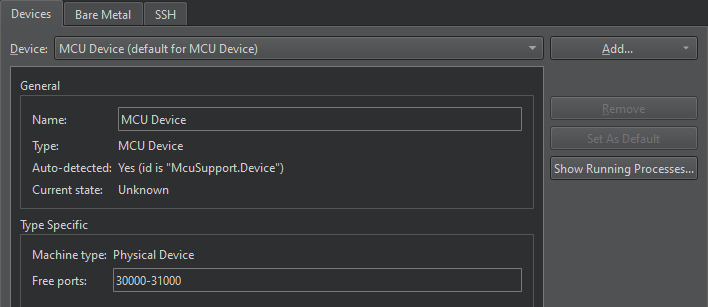
MCU 장치를 추가하려면 Preferences > Devices > Add > Start Wizard to Add Device > MCU Device 로 이동하십시오:
- Name 에서 장치 이름을 지정합니다.
- Apply 를 선택하여 장치를 추가하십시오.
관련 항목: 플러그인 활성화 및 비활성화, MCU 개발 방법, MCU 개발, 그리고 Qt for MCUs.
Copyright © The Qt Company Ltd. and other contributors. Documentation contributions included herein are the copyrights of their respective owners. The documentation provided herein is licensed under the terms of the GNU Free Documentation License version 1.3 as published by the Free Software Foundation. Qt and respective logos are trademarks of The Qt Company Ltd in Finland and/or other countries worldwide. All other trademarks are property of their respective owners.
