
컴포넌트 다이어그램 만들기
컴포넌트 다이어그램을 포함하는 UML 스타일의 모델을 생성합니다. 이 모델은 일련의 컴포넌트와 그 관계를 나타내며, 시스템의 구현 방식을 보여줍니다.
컴포넌트 다이어그램에 라이브러리, 데이터베이스, 프로그램, 아키텍처 계층과 같은 소스 코드 컴포넌트를 추가합니다.
컴포넌트 다이어그램에 컴포넌트를 추가하려면:
- Projects 에서 소스 코드를 편집기로 드래그합니다.
- Add Component 를 선택합니다.
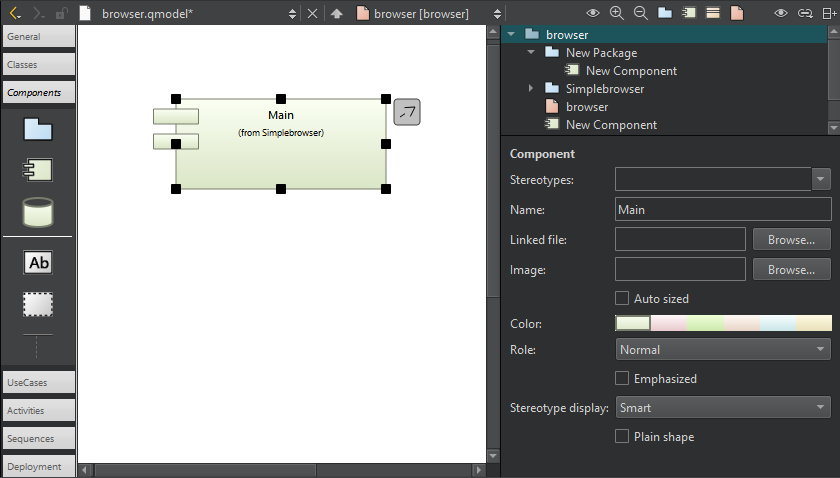
모델 편집기의 컴포넌트 다이어그램.
다이어그램의 컴포넌트에서 소스 코드로 이동하려면, 편집기에서 해당 컴포넌트를 두 번 클릭하거나 컨텍스트 메뉴에서 ‘ Show Definition ’를 선택합니다.
Copyright © The Qt Company Ltd. and other contributors. Documentation contributions included herein are the copyrights of their respective owners. The documentation provided herein is licensed under the terms of the GNU Free Documentation License version 1.3 as published by the Free Software Foundation. Qt and respective logos are trademarks of The Qt Company Ltd in Finland and/or other countries worldwide. All other trademarks are property of their respective owners.
