
코드 모델 검사
C++ 코드 모델과 관련된 버그를 보고할 경우, Qt Creator 개발자가 코드 모델의 내부 상태에 대한 정보를 로그 파일에 기록하여 검토를 위해 해당 파일을 제출해 달라고 요청할 수 있습니다.
C++ Code Model Inspector 대화 상자에서 C++ 코드 모델에 대한 정보를 확인하고 이를 로그 파일에 기록하려면, ‘ Tools ’ > Debug Qt Creator > ‘ Inspect C++ Code Model ’을 선택하거나 Ctrl+Shift+F12를 누르십시오.
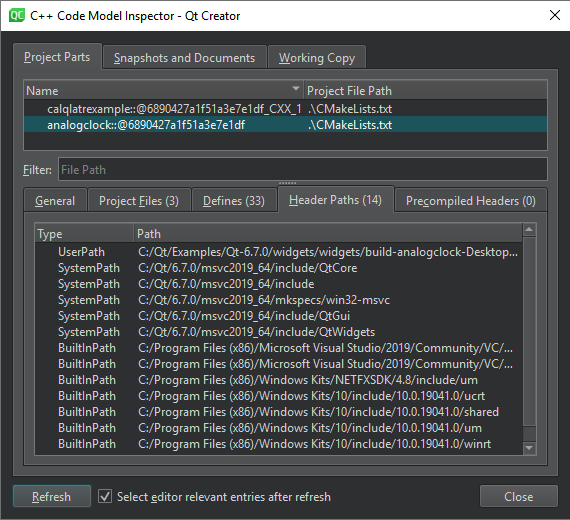
Qt Creator 이렇게 하면 임시 폴더에 코드 모델 검사 로그 파일이 생성됩니다.
Qt Creator Edit 모드에서 C++ 코드 편집기의 olive에서 의미론적 오류를 밑줄로 표시합니다. 해결되지 않았거나 잘못된 파일로 해결된 include의 올바른 경로를 확인하려면 > 로 이동하십시오. Project Parts Header Paths
‘방법: 코드 편집’, ‘코드 편집’, ‘Clang 코드 모델’ 및 ‘코드 모델’항목도 참조하십시오 .
Copyright © The Qt Company Ltd. and other contributors. Documentation contributions included herein are the copyrights of their respective owners. The documentation provided herein is licensed under the terms of the GNU Free Documentation License version 1.3 as published by the Free Software Foundation. Qt and respective logos are trademarks of The Qt Company Ltd in Finland and/or other countries worldwide. All other trademarks are property of their respective owners.
