
코드 블록 강조 표시
코드 블록 강조 표시는 서로 관련이 있는 코드 부분을 시각적으로 구분해 줍니다. 예를 들어, 중괄호 세트 안에 커서를 놓으면 중괄호로 둘러싸인 코드가 강조 표시됩니다.
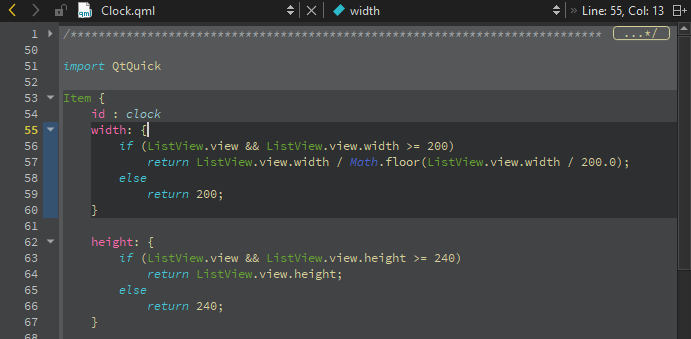
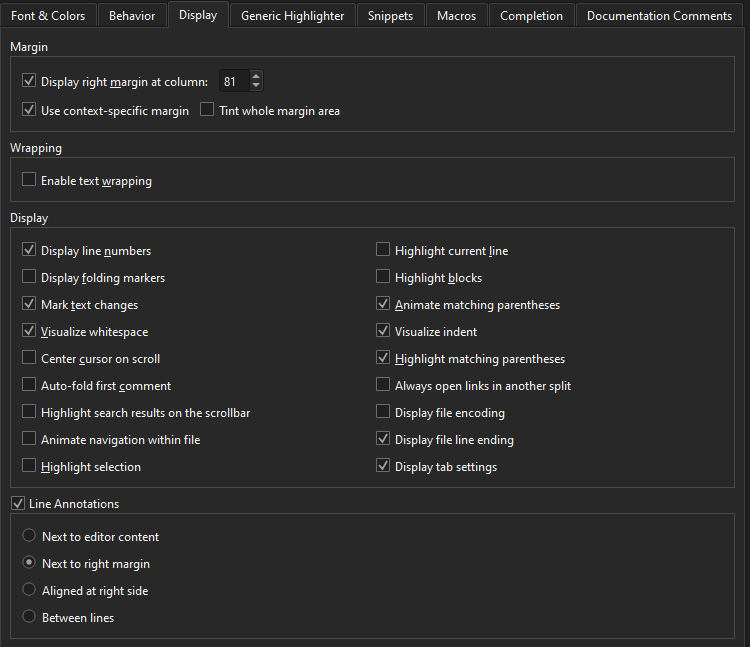
블록 강조 표시를 활성화하려면 ‘ Preferences ’ > ‘ Text Editor ’ > ‘ Display ’로 이동하여 ‘ Highlight blocks ’를 선택하십시오.
코드 블록 접기
접기 표시기를 선택하여 중괄호 안의 코드 블록을 접거나 펼 수 있습니다. 위 이미지에서 접기 표시기는 줄 번호와 텍스트 창 사이에 위치해 있습니다.
접기 마커를 표시하려면 ‘ Preferences ’ > ‘ Text Editor ’ > ‘ Display ’로 이동하여 ‘ Display folding markers ’를 선택하십시오. 이 옵션은 기본적으로 활성화되어 있습니다.
모든 주석 블록 접기
모든 주석 블록을 접으려면 Tools > C++ > Fold All Comment Blocks 로 이동하십시오.
모든 주석 블록을 펼치려면 Unfold All Comment Blocks 을 선택하십시오.
일치하는 중괄호 애니메이션
커서가 중괄호 위에 있을 때, 기본적으로 짝을 이루는 중괄호가 애니메이션으로 표시됩니다.
애니메이션을 끄고 블록과 중괄호만 강조 표시하려면 Preferences > Text Editor > Display 으로 이동하여 ‘ Animate matching parentheses ’을 해제하십시오.
코드 블록 간 이동
키보드 단축키를 사용하여 코드 블록 내부 및 블록 간을 이동할 수 있습니다:
- 블록 끝으로 이동하려면 Ctrl+]를 누르세요.
- 블록 시작 부분으로 이동하려면 Ctrl+[를 누르십시오.
커서 위치부터 블록 끝 또는 시작 부분까지의 줄도 함께 선택하려면 각각 Ctrl+Shift+] 및 Ctrl+Shift+[를 누르십시오.
'방법: 코드 편집' 및 '코드 편집'항목도 참조하십시오 .
Copyright © The Qt Company Ltd. and other contributors. Documentation contributions included herein are the copyrights of their respective owners. The documentation provided herein is licensed under the terms of the GNU Free Documentation License version 1.3 as published by the Free Software Foundation. Qt and respective logos are trademarks of The Qt Company Ltd in Finland and/or other countries worldwide. All other trademarks are property of their respective owners.
