
添加 Docker 设备
注意:需启用 Docker 插件才能使用该功能。
要将 Docker 镜像添加为设备:
- 转至Preferences >Devices >Docker 。
- 在“Command ”中,输入 Docker CLI 的路径。
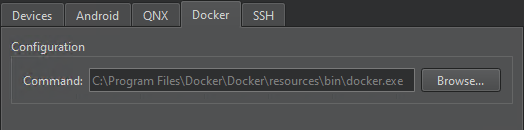
- 转到“Devices ”。
- 选择“Add ” > “Docker Device ” > “Start Wizard ”,以在本地 Docker 安装中搜索镜像。
- 选择一个 Docker 镜像,然后选择“OK ”。
- 在“Devices ”中,检查并更改 Docker 设备首选项。
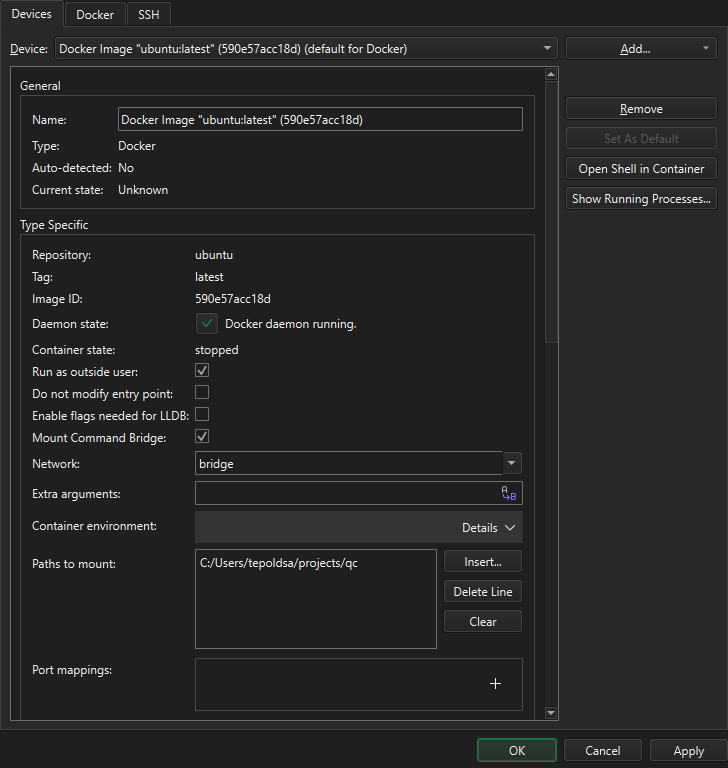
- 选择“Apply ”以保存更改。
选择 Docker 镜像
“Docker Image Selection ”对话框将显示本地 Docker 安装中的 Docker 镜像列表。您可以按存储库名称、标签、镜像 ID 或大小对镜像进行排序。
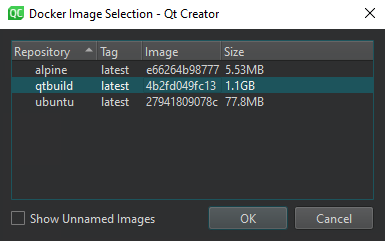
选择“Show unnamed images ”以显示未标记的镜像。
双击某个镜像以将其选中。
编辑 Docker 设备套件
转到“Preferences ” > “Kits ”,以确认自动生成的套件是否指向正确的套件项目。
Copyright © The Qt Company Ltd. and other contributors. Documentation contributions included herein are the copyrights of their respective owners. The documentation provided herein is licensed under the terms of the GNU Free Documentation License version 1.3 as published by the Free Software Foundation. Qt and respective logos are trademarks of The Qt Company Ltd in Finland and/or other countries worldwide. All other trademarks are property of their respective owners.
