
将调试器附加到正在运行的应用程序
若要将调试器附加到已在本地或远程计算机上运行的应用程序:
- 转到“Debug ” > “Start Debugging ” > “Attach to Running Application ”。
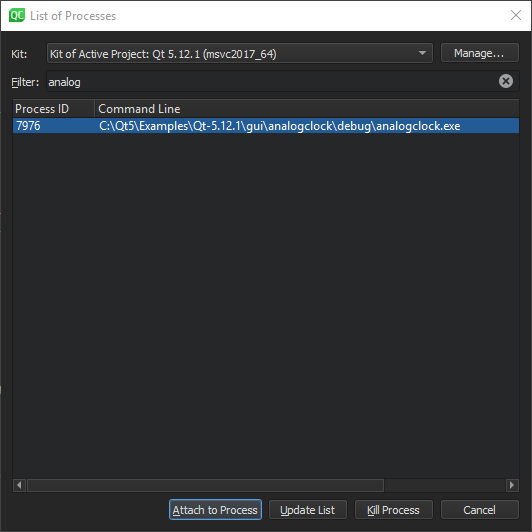
- 在“Filter ”中,输入字符串以按进程 ID 或名称筛选进程。
- 在列表中选择一个进程,然后选择“Attach to Process ”以开始调试。
要刷新正在运行的进程列表,请选择“Update List ”。
要终止所选进程,请选择“Kill Process ”。
虽然此模式并不严格要求在Qt Creator 中打开项目,但打开项目会使设置断点和逐步执行代码变得更加容易。
您可以在将调试器附加到应用程序之前或之后设置断点。有关详细信息,请参阅“设置断点”。
Copyright © The Qt Company Ltd. and other contributors. Documentation contributions included herein are the copyrights of their respective owners. The documentation provided herein is licensed under the terms of the GNU Free Documentation License version 1.3 as published by the Free Software Foundation. Qt and respective logos are trademarks of The Qt Company Ltd in Finland and/or other countries worldwide. All other trademarks are property of their respective owners.
