
配置开发工具
在“Preferences ” > “Devices ”中为设备配置开发工具。可用的工具因设备类型和已启用的插件而异。
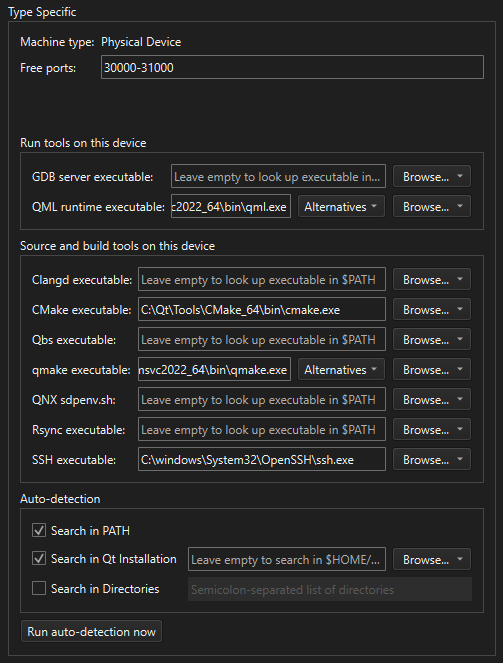
在“设备”首选项的“设备”选项卡中,可查看桌面设备的工具配置选项。
要为设备配置工具:
- 转至Preferences >Devices >Devices 。
- 从“Device ”中选择现有设备。
- 在“Type Specific ” > “Run Tools on This Device ”或“Source and Build Tools on This Device ”中,指定工具的路径。
或者,在Auto-Detection 中配置自动检测选项,然后选择Run Auto-Detection Now 。
- 对于远程 Linux 设备,请选择Create kits 来创建一个使用自动检测到的开发工具的套件。
另请参阅 《使用Qt Creator 变量》、《操作指南:构建和运行》、《操作指南:针对 Docker 的开发》、《操作指南:针对远程 Linux 的开发》以及《管理套件》。
Copyright © The Qt Company Ltd. and other contributors. Documentation contributions included herein are the copyrights of their respective owners. The documentation provided herein is licensed under the terms of the GNU Free Documentation License version 1.3 as published by the Free Software Foundation. Qt and respective logos are trademarks of The Qt Company Ltd in Finland and/or other countries worldwide. All other trademarks are property of their respective owners.
