
创建组件图
创建包含组件图的 UML 风格模型。这些模型表示一组组件及其关系,并展示系统的实现。
将源代码组件(如库、数据库、程序和架构层)添加到组件图中。
要将组件添加到组件图中:
- 将源代码从“Projects ”拖动到编辑器中。
- 选择“Add Component ”。
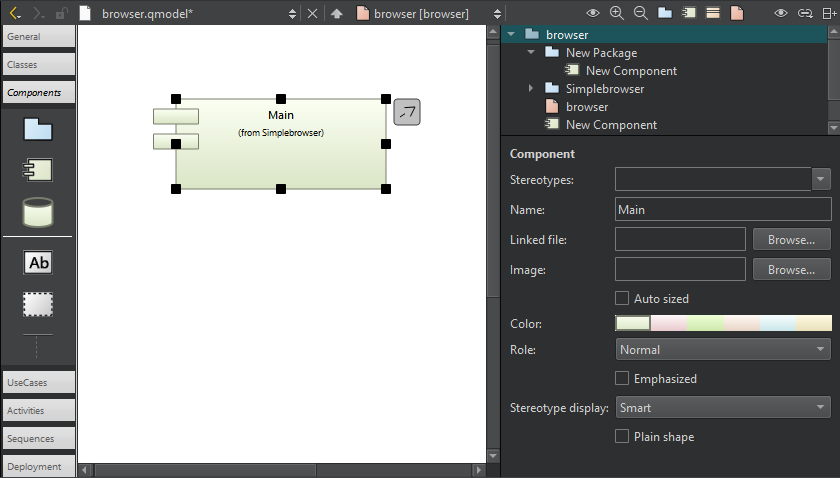
模型编辑器中的组件图。
若要从图中的组件导航至源代码,请在编辑器中双击该组件,或从上下文菜单中选择“Show Definition ”。
另请参阅 《如何:编辑 UML 风格的模型》。
Copyright © The Qt Company Ltd. and other contributors. Documentation contributions included herein are the copyrights of their respective owners. The documentation provided herein is licensed under the terms of the GNU Free Documentation License version 1.3 as published by the Free Software Foundation. Qt and respective logos are trademarks of The Qt Company Ltd in Finland and/or other countries worldwide. All other trademarks are property of their respective owners.
