
创建包图
创建包含包图的 UML 风格模型。这些图展示包及其关系,用于可视化系统的包结构。
在包图中添加嵌套包元素。图中元素的层级深度对应于结构化模型的深度。堆叠在同类型其他元素之上的元素,会自动以所选颜色的较深色调绘制。
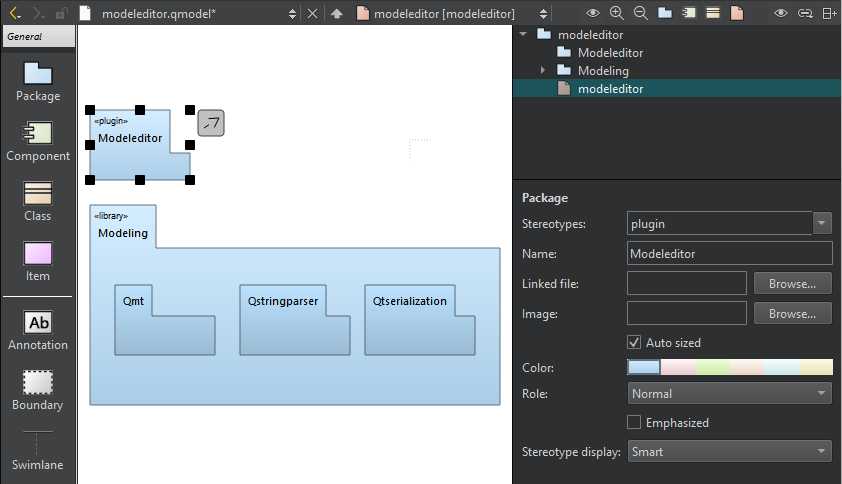
模型编辑器中的包图。
右键单击包以打开上下文菜单,然后选择“Create Diagram ”在模型中创建新的包图。将元素从元素树拖动到图中。
要更新包的包含依赖关系,请选择“Update Include Dependencies ”。
另请参阅 “操作指南:编辑 UML 风格模型”和“编辑 UML 风格模型”。
Copyright © The Qt Company Ltd. and other contributors. Documentation contributions included herein are the copyrights of their respective owners. The documentation provided herein is licensed under the terms of the GNU Free Documentation License version 1.3 as published by the Free Software Foundation. Qt and respective logos are trademarks of The Qt Company Ltd in Finland and/or other countries worldwide. All other trademarks are property of their respective owners.
