
创建 C++ 类
若要为新类创建 C++ 头文件和源文件,以便将其添加到 C++ 项目中:
- 选择“File ” > “New File ” > “C/C++ ” > “C++ Class ” > “Choose ”。
- 指定类名、基类以及该类的头文件和源文件。
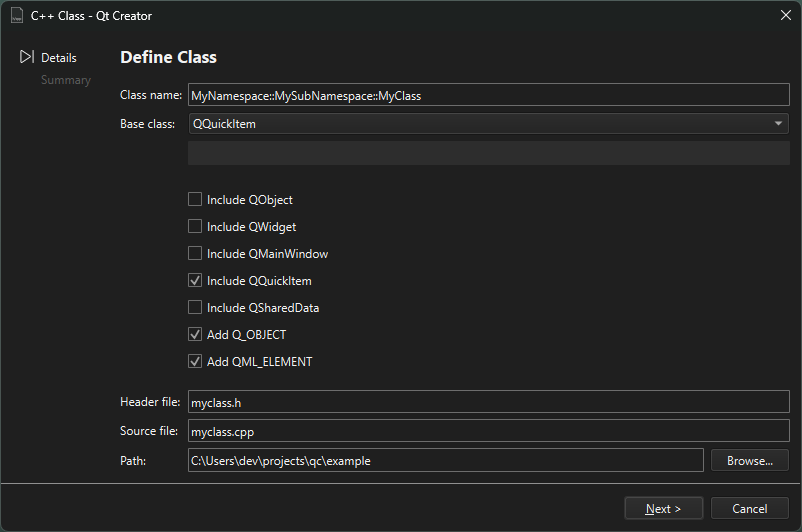
该向导支持命名空间。若要使用命名空间,请在“Class name ”字段中输入带前缀的类名。例如:MyNamespace::MySubNamespace::MyClass 。输入时,向导会根据您输入的内容建议现有的命名空间和类名。
您还可以创建自己的项目和类向导。
另请参阅 “添加文件”、“设置 C++ 文件命名首选项”、“使用项目向导”和“自定义向导”。
Copyright © The Qt Company Ltd. and other contributors. Documentation contributions included herein are the copyrights of their respective owners. The documentation provided herein is licensed under the terms of the GNU Free Documentation License version 1.3 as published by the Free Software Foundation. Qt and respective logos are trademarks of The Qt Company Ltd in Finland and/or other countries worldwide. All other trademarks are property of their respective owners.
