
创建资源文件
Qt 资源系统是一种用于将文件存储在应用程序可执行文件中的平台独立机制。
要创建资源文件:
- 选择“File ” > “New File ” > “Qt ” > “Qt Resource File ” > “Choose ”。
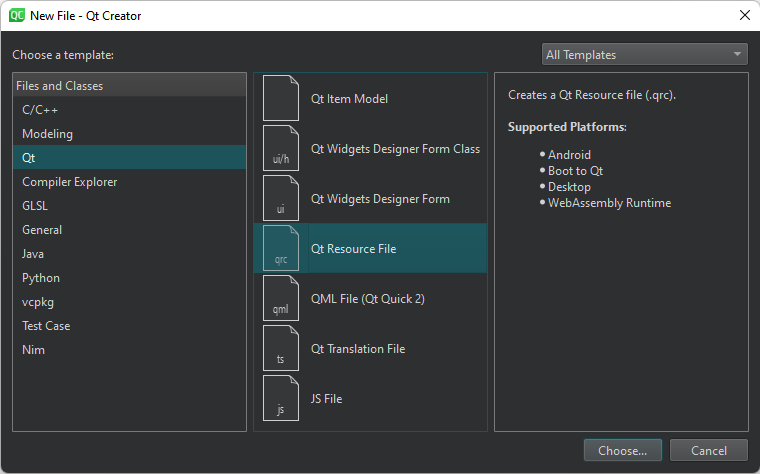
- 按照向导的说明创建资源集合文件(
.qrc)。 - 在资源编辑器中打开该资源文件。
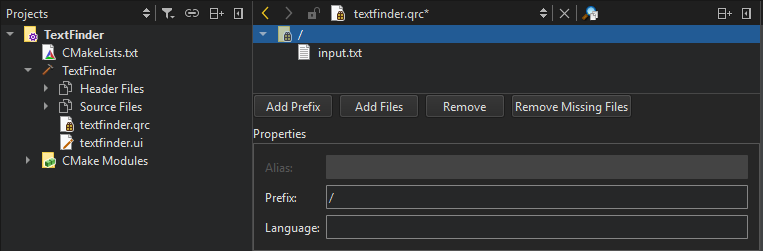
- 选择“Add Files ”以查找并添加单个文件。
对资源文件进行排序
若要在源树中按字母顺序(升序)列出文件夹和文件,请在上下文菜单中选择“Sort Alphabetically ”。
设置路径前缀
默认情况下,可以通过与源代码树中相同的文件名(带:/ 前缀)或使用qrc 方案的URL访问应用程序中的资源。要为.qrc 文件中的所有文件指定路径前缀,请选择Add Prefix ,并在Prefix 字段中输入前缀。
设置区域设置
某些资源(例如翻译文件或图标)需要根据用户的区域设置进行调整。您可以在“Language ”字段中指定区域设置。
请使用小写、两位字母的ISO 639 语言代码,例如de、en 或fr。
删除资源文件
选择“Remove ”(删除资源)以将所选文件从资源集合中移除。
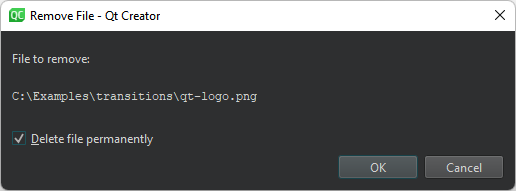
在“Remove File ”对话框中,选择“Delete file permanently ”以从文件系统中删除该文件。
要删除文件系统中找不到的文件,请选择“Remove Missing Files ”。
上述功能也可在“Projects”视图的上下文菜单中使用。
Copyright © The Qt Company Ltd. and other contributors. Documentation contributions included herein are the copyrights of their respective owners. The documentation provided herein is licensed under the terms of the GNU Free Documentation License version 1.3 as published by the Free Software Foundation. Qt and respective logos are trademarks of The Qt Company Ltd in Finland and/or other countries worldwide. All other trademarks are property of their respective owners.
