
插入多个光标
要在“Edit ”模式下同时对编辑器中的多个位置应用更改,请按住Alt 键,然后单击文件中的多个位置以放置光标。您所做的任何更改都会同时应用到所有光标位置。
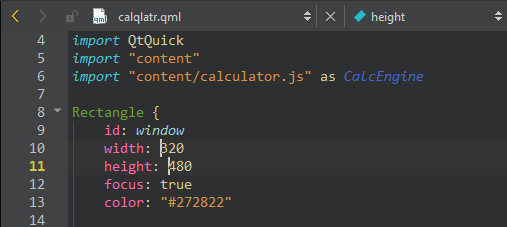
管理光标:
- 使用方向键可将所有光标向上或向下移动。
- 使用Home和End键可将所有光标移至行首或行尾。
- 按住Alt 键并双击字符串,可同时选中多个字符串。
- 按Alt+Shift+I可在选定行的末尾创建光标。
- 按Esc键可清除所有光标和选定内容。
另请参阅 “操作指南:编辑代码”、“编辑选定行”和“编辑代码”。
Copyright © The Qt Company Ltd. and other contributors. Documentation contributions included herein are the copyrights of their respective owners. The documentation provided herein is licensed under the terms of the GNU Free Documentation License version 1.3 as published by the Free Software Foundation. Qt and respective logos are trademarks of The Qt Company Ltd in Finland and/or other countries worldwide. All other trademarks are property of their respective owners.
