
检查代码模型
当您报告与 C++ 代码模型相关的错误时,Qt Creator 的开发人员可能会要求您将代码模型的内部状态信息写入日志文件,并将该文件提交给他们进行检查。
要在“C++ Code Model Inspector ”对话框中查看有关 C++ 代码模型的信息并将其写入日志文件,请选择“Tools ”> Debug Qt Creator > “Inspect C++ Code Model ”,或按Ctrl+Shift+F12。
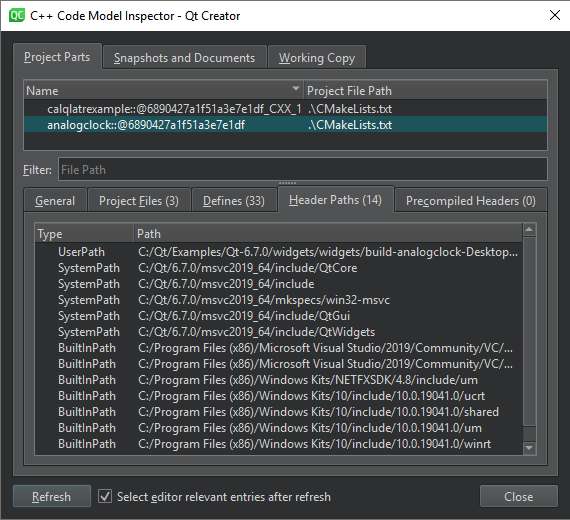
Qt Creator 系统将在临时文件夹中生成代码模型检查日志文件。
Qt Creator 在“Edit ”模式下,C++ 代码编辑器中会为 olive 中的语义错误添加下划线。要检查未解析或解析为错误文件的头文件包含路径是否正确,请转至“Project Parts ”>“Header Paths ”。
另请参阅 《操作指南:编辑代码》、《编辑代码》、《Clang 代码模型》和《代码模型》。
Copyright © The Qt Company Ltd. and other contributors. Documentation contributions included herein are the copyrights of their respective owners. The documentation provided herein is licensed under the terms of the GNU Free Documentation License version 1.3 as published by the Free Software Foundation. Qt and respective logos are trademarks of The Qt Company Ltd in Finland and/or other countries worldwide. All other trademarks are property of their respective owners.
