
使用键盘定位文件
使用“Locator ”浏览项目、文件、类、函数、文档和文件系统。
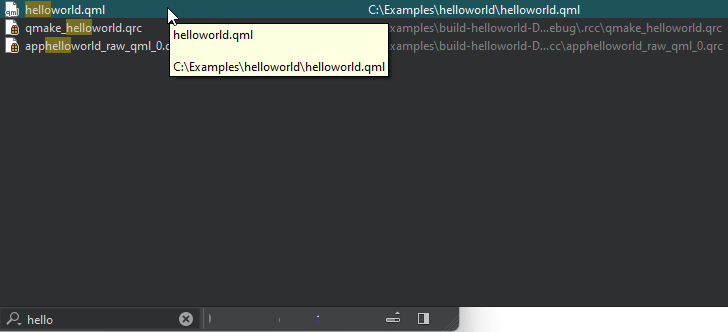
若要快速访问项目中未直接提及的文件,您可以创建自己的定位器过滤器。这样,您就可以在您定义的目录结构中定位文件。
要创建定位器过滤器,请选择“Preferences ” > “Environment ” > “Locator ” > “Add ”。
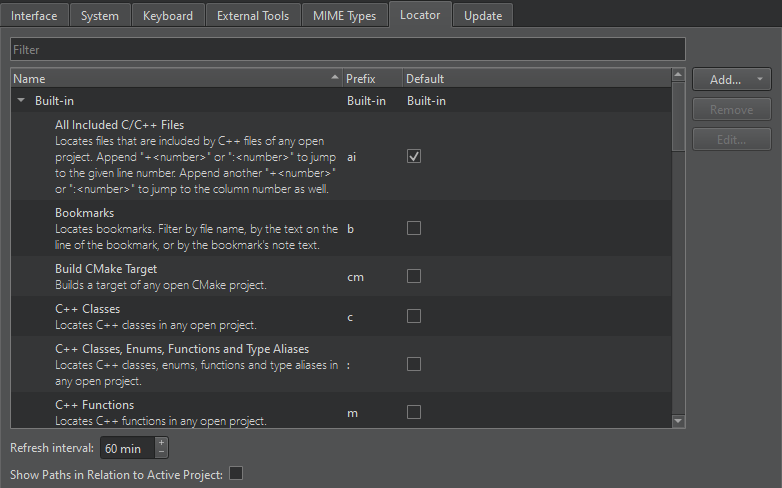
另请参阅 “创建定位器过滤器”、“操作指南:编辑代码”和“编辑代码”。
Copyright © The Qt Company Ltd. and other contributors. Documentation contributions included herein are the copyrights of their respective owners. The documentation provided herein is licensed under the terms of the GNU Free Documentation License version 1.3 as published by the Free Software Foundation. Qt and respective logos are trademarks of The Qt Company Ltd in Finland and/or other countries worldwide. All other trademarks are property of their respective owners.
