
管理断点
移动断点
要移动断点:
- 将断点标记拖动到文本编辑器中的另一行。
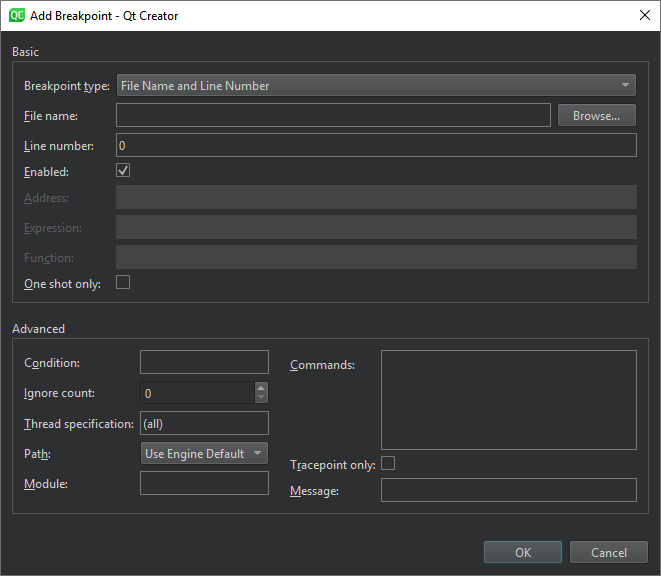
- 在“Breakpoint Preset ”视图或“Breakpoints ”视图中,选择“Edit Selected Breakpoints ”,并在“Line number ”中设置行号。
删除断点
要删除断点:
- 在文本编辑器中选中断点标记。
- 在“Breakpoint Preset ”视图或“Breakpoints ”视图中:
- 选中该断点,然后选择“Delete”。
- 在上下文菜单中选择“Delete Selected Breakpoints ”、“Delete Selected Breakpoints ”或“Delete Breakpoints of File ”。
启用和禁用断点
若要临时禁用断点(而不删除断点或丢失条件和命令等相关数据):
- 在文本编辑器中右键单击断点标记,然后选择“Disable Breakpoint ”。
- 选中包含断点的行,然后按Ctrl+F9(macOS 上为Ctrl+F8)。
- 在“Breakpoint Preset ”视图或“Breakpoints ”视图中:
- 选中该断点,然后按空格键。
- 在上下文菜单中选择“Disable Breakpoint ”。
文本编辑器和各视图中显示的空心断点图标表示该断点已禁用。要重新启用断点,请使用上述任一方法。
除数据断点外,其他断点在被调试的应用程序重启时会保留其启用或禁用状态。
Copyright © The Qt Company Ltd. and other contributors. Documentation contributions included herein are the copyrights of their respective owners. The documentation provided herein is licensed under the terms of the GNU Free Documentation License version 1.3 as published by the Free Software Foundation. Qt and respective logos are trademarks of The Qt Company Ltd in Finland and/or other countries worldwide. All other trademarks are property of their respective owners.
