
显示和隐藏侧边栏
在某些模式下,您可以使用左右侧边栏将不同的视图整理到项目内容中。侧边栏中仅显示与当前工作模式相关的视图。
在侧边栏菜单中选择视图 (1):
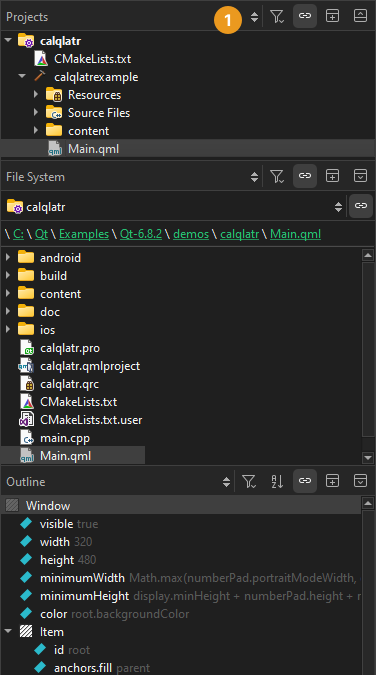
您可以通过以下方式更改侧边栏的视图:
- 要切换左侧边栏,请选择“
 ”(Hide Left Sidebar/Show Left Sidebar )或按Alt+0(macOS 上为Cmd+0)。
 - 要切换右侧边栏,请选择“
 ”(Hide Right Sidebar/Show Right Sidebar )或按Alt+Shift+0(macOS 上为Cmd+Shift+0)。
 - 要拆分侧边栏,请选择
 (Split )。选择新内容以在拆分视图中查看。
 - 要关闭侧边栏视图,请选择“
 ”(Close )。
在某些视图中,右键单击会打开一个上下文菜单,其中包含用于管理视图中列出对象的功能。
另请参阅 “操作指南:调整用户界面”、“显示和隐藏主菜单”、“在模式之间切换”以及“调整用户界面”。
Copyright © The Qt Company Ltd. and other contributors. Documentation contributions included herein are the copyrights of their respective owners. The documentation provided herein is licensed under the terms of the GNU Free Documentation License version 1.3 as published by the Free Software Foundation. Qt and respective logos are trademarks of The Qt Company Ltd in Finland and/or other countries worldwide. All other trademarks are property of their respective owners.
