
设置 Qbs 配置文件目录
默认情况下,Qbs配置文件存储在Qt Creator 设置目录下的qbs 目录中,以确保不同的Qt Creator 实例不会相互覆盖对方的配置文件。如果您只运行一个Qt Creator 实例,则可以将配置文件存储在Qbs设置目录中。
要为 Qbs 指定设置:
- 选择“Preferences ” > “Qbs ” > “General ”。
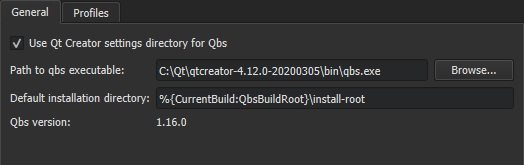
- 取消选中 Use Qt Creator settings directory for Qbs 复选框,将 Qbs 配置文件存储在 Qbs 设置目录中。
- 在“Path to qbs executable ”字段中,您可以查看和更改 Qbs 可执行文件的路径。“Qbs version ”字段显示可执行文件的版本号。
- 在“Default installation directory ”字段中,您可以查看和更改 Qbs 安装目录。
- 选择“Profiles ”选项卡,可指定 Qbs 配置文件的设置。
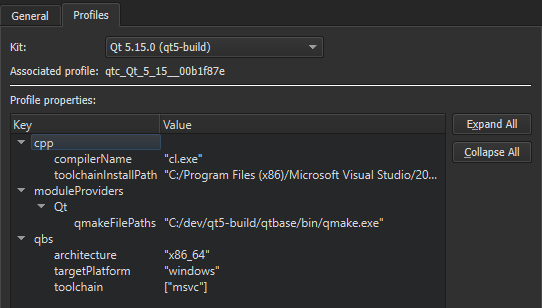
- 在“Kit ”字段中,选择一个构建和运行套件以查看相关配置文件的属性。要修改属性,请选择“Preferences ”>“Kits ”。有关详细信息,请参阅“编辑 Qbs 配置文件”。
Copyright © The Qt Company Ltd. and other contributors. Documentation contributions included herein are the copyrights of their respective owners. The documentation provided herein is licensed under the terms of the GNU Free Documentation License version 1.3 as published by the Free Software Foundation. Qt and respective logos are trademarks of The Qt Company Ltd in Finland and/or other countries worldwide. All other trademarks are property of their respective owners.
