
编辑 Qbs 配置文件
要查看与某个套件关联的 Qbs 配置文件,请选择“Preferences ” > “Qbs ” > “Profiles ”。
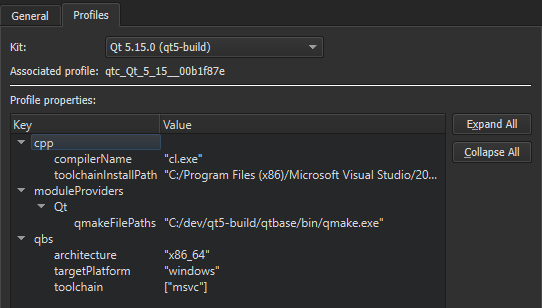
您可以向配置文件添加或移除键和值,也可以修改现有值。有关可用键和值的列表,请参阅《Qbs 手册》中的“模块列表”。
要编辑与某套件关联的 Qbs 配置文件:
- 在“Preferences ” > “Kits ”中,选择该套件,然后点击“Qbs profile additions ”旁边的“Change ”以打开“Custom Properties ”对话框。
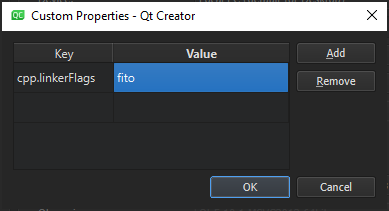
- 双击“Key ”列中的空白单元格,以
<module_name>.<property_name>的形式指定要添加或修改的键。 - 双击“Value ”列中同一行上的单元格,以 JSON 字面量形式指定值。
- 选择“Add ”以添加键值对。
- 选择“OK ”。
要修改现有值,请在“Value ”字段中双击该值。
要删除所选属性,请选择“Remove ”。
Copyright © The Qt Company Ltd. and other contributors. Documentation contributions included herein are the copyrights of their respective owners. The documentation provided herein is licensed under the terms of the GNU Free Documentation License version 1.3 as published by the Free Software Foundation. Qt and respective logos are trademarks of The Qt Company Ltd in Finland and/or other countries worldwide. All other trademarks are property of their respective owners.
