
为项目指定 Valgrind 设置
若要为套件中选定的“运行设备”上运行的应用程序指定设置,请转至Projects >Run Settings 。
借助Valgrind 工具套件,您可以检测内存泄漏并分析函数执行情况。
要为当前项目指定 Valgrind 设置:
- 在“Valgrind Settings ”部分,选择“Custom ”。
- 为该项目指定 Valgrind 设置。
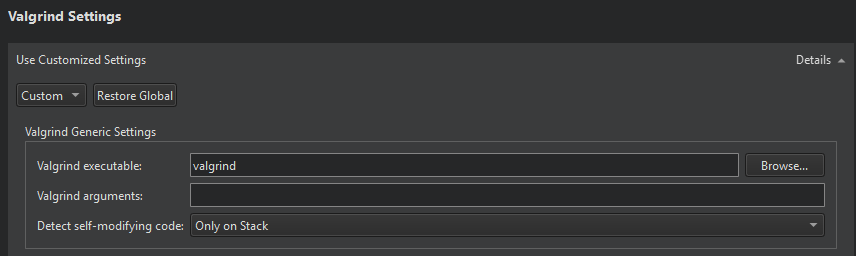
- 在“Valgrind executable ”中,指定 Valgrind 可执行文件的路径。
- 在“Valgrind arguments ”中,为 Valgrind 指定附加参数。
- 在“Detect self-modifying code ”中,选择是否检测自修改代码以及检测位置:仅在栈上、到处,或除文件后端映射之外的任何地方。
选择“Restore Global ”以恢复为全局设置。
要指定全局 Valgrind 设置,请选择“Preferences ”>“Analyzer ”。
另请参阅 “使用 Memcheck 检测内存泄漏”、“分析函数执行情况”、“在外部应用程序上运行 Valgrind 工具”、“构建和运行项目”、“Valgrind Callgrind”以及“Valgrind Memcheck”。
Copyright © The Qt Company Ltd. and other contributors. Documentation contributions included herein are the copyrights of their respective owners. The documentation provided herein is licensed under the terms of the GNU Free Documentation License version 1.3 as published by the Free Software Foundation. Qt and respective logos are trademarks of The Qt Company Ltd in Finland and/or other countries worldwide. All other trademarks are property of their respective owners.
