
添加资源
Assets 会显示您通过将外部资源文件拖放到Qt Quick Designer中,或通过选择 ,添加到项目文件夹中的图像和其他文件。
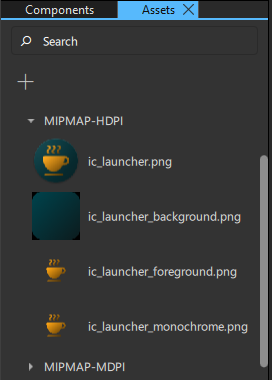
要将资源添加到 UI 中,请将其从Assets 拖动到“Navigator ”或“2D ”视图中。
若要同时向 UI 中添加多个资源,请先按住Ctrl 键并点击所需资源文件进行多选。
当您将资源从Assets 拖动到Navigator 或2D 视图时,系统会自动为您创建类型合适的组件实例。例如,对于图形文件,将创建Image组件的实例。
另请参阅 《如何:设计Qt Quick 用户界面》、《Qt Quick 用户界面设计》和《设计Qt Quick 用户界面》。
Copyright © The Qt Company Ltd. and other contributors. Documentation contributions included herein are the copyrights of their respective owners. The documentation provided herein is licensed under the terms of the GNU Free Documentation License version 1.3 as published by the Free Software Foundation. Qt and respective logos are trademarks of The Qt Company Ltd in Finland and/or other countries worldwide. All other trademarks are property of their respective owners.
