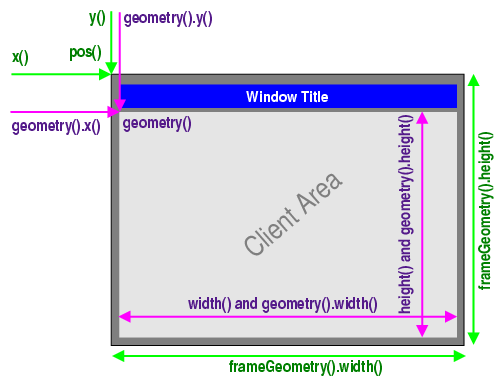
Primary and Secondary Windows
Any
QWidgetthat has no parent will become a window, and will on most platforms be listed in the desktop’s task bar. This is usually only wanted for one window in the application, the primary window .In addition, a
QWidgetthat has a parent can become a window by setting theWindowflag. Depending on the window management system such secondary windows are usually stacked on top of their respective parent window, and not have a task bar entry of their own.The
QMainWindowclass sets theWindowflag in its constructor, as it is designed to be used as a window and provides facilities that are not wanted for child widgets.