
Manual client setup
Direct configuration for clients that aren't using the
qt-development-skills claude plugin. The endpoint in every case is:
Claude Code
Register the server globally once by entering this in your terminal:
The server is then available in any Claude Code session.
Claude Desktop
Use mcp-remote as a bridge (requires Node.js)
Claude Desktop only supports stdio transports and cannot connect to
HTTP MCP servers directly. Use mcp-remote as a bridge (requires Node.js).
Open claude_desktop_config.json:
- macOS:
~/Library/Application Support/Claude/claude_desktop_config.json - Windows:
%APPDATA%\Claude\claude_desktop_config.json
{
  "mcpServers": {
    "qt-docs": {
      "command": "npx",
      "args": ["mcp-remote", "https://qt-docs-mcp.qt.io/mcp"]
    }
  }
}
Restart Claude Desktop after editing. On first use you may be prompted
to install mcp-remote — confirm to proceed.
OpenAI Codex
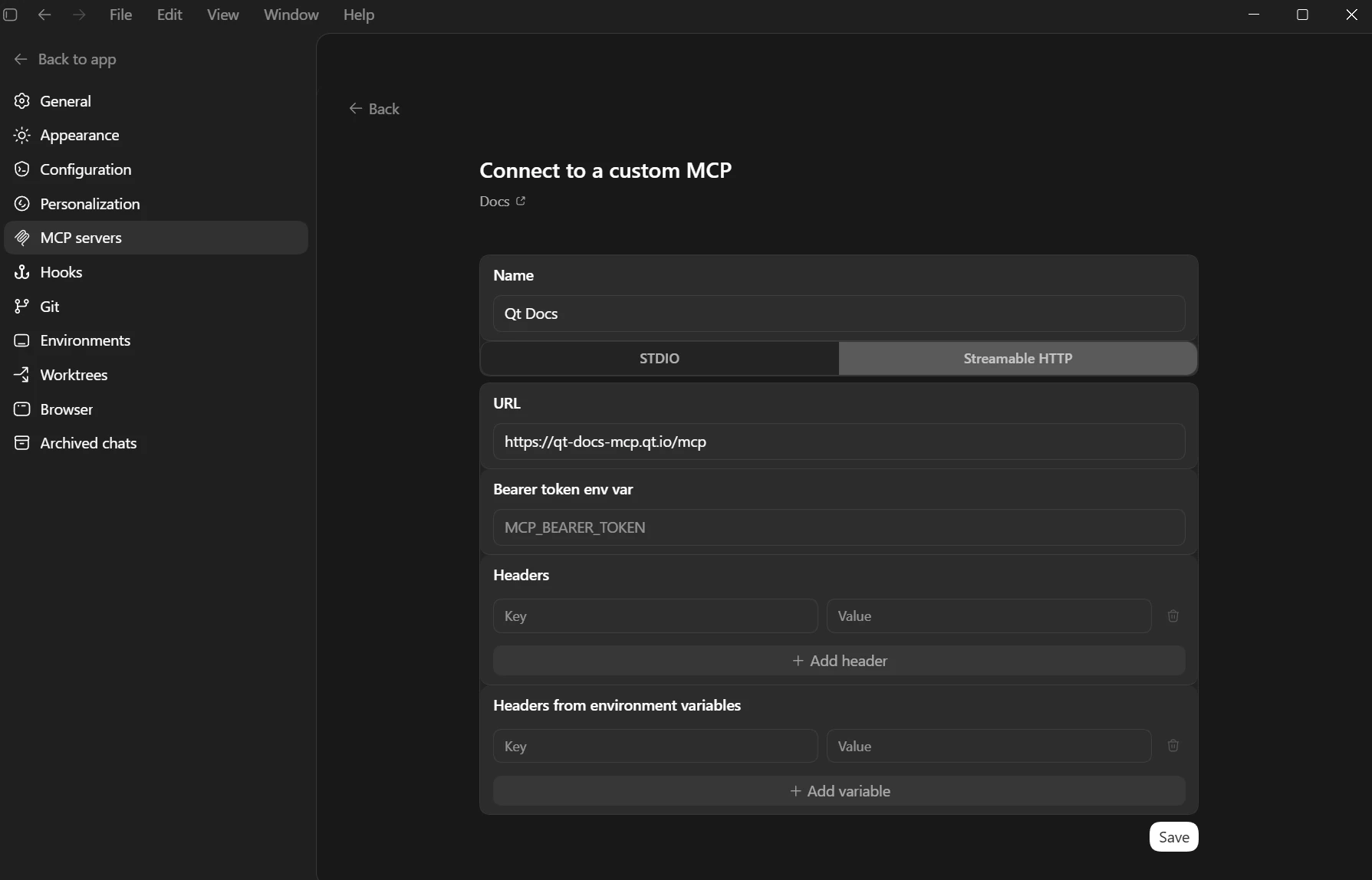
- Go to: Settings → MCP server → Add Server.
- Select Streamable HTTP.
- Paste the URL:
Google Antigravity
In Agent Settings, add a server entry pointing at the URL:
{
  "mcpServers": {
    "qt-docs": {
      "serverUrl": "https://qt-docs-mcp.qt.io/mcp",
      "headers": {
        "Content-Type": "application/json"
      }
    }
  }
}
OpenCode
Register the server globally by running:
