
5.1.4.12. Rules Overview
The Rules Overview page shows which rules were enabled and which were disabled in the last analysis of each visible project. It is accessible via the User Menu.
An enabled rule was not necessarily executed due to missing prerequisites, e.g. a rule that is enabled but not executed because StaticSemanticAnalysis is disabled. Projects whose last analysis used an Axivion Suite version before 7.13 are left out, as these analyses do not report disabled rules. A note above the table states how many projects are left out for this reason.
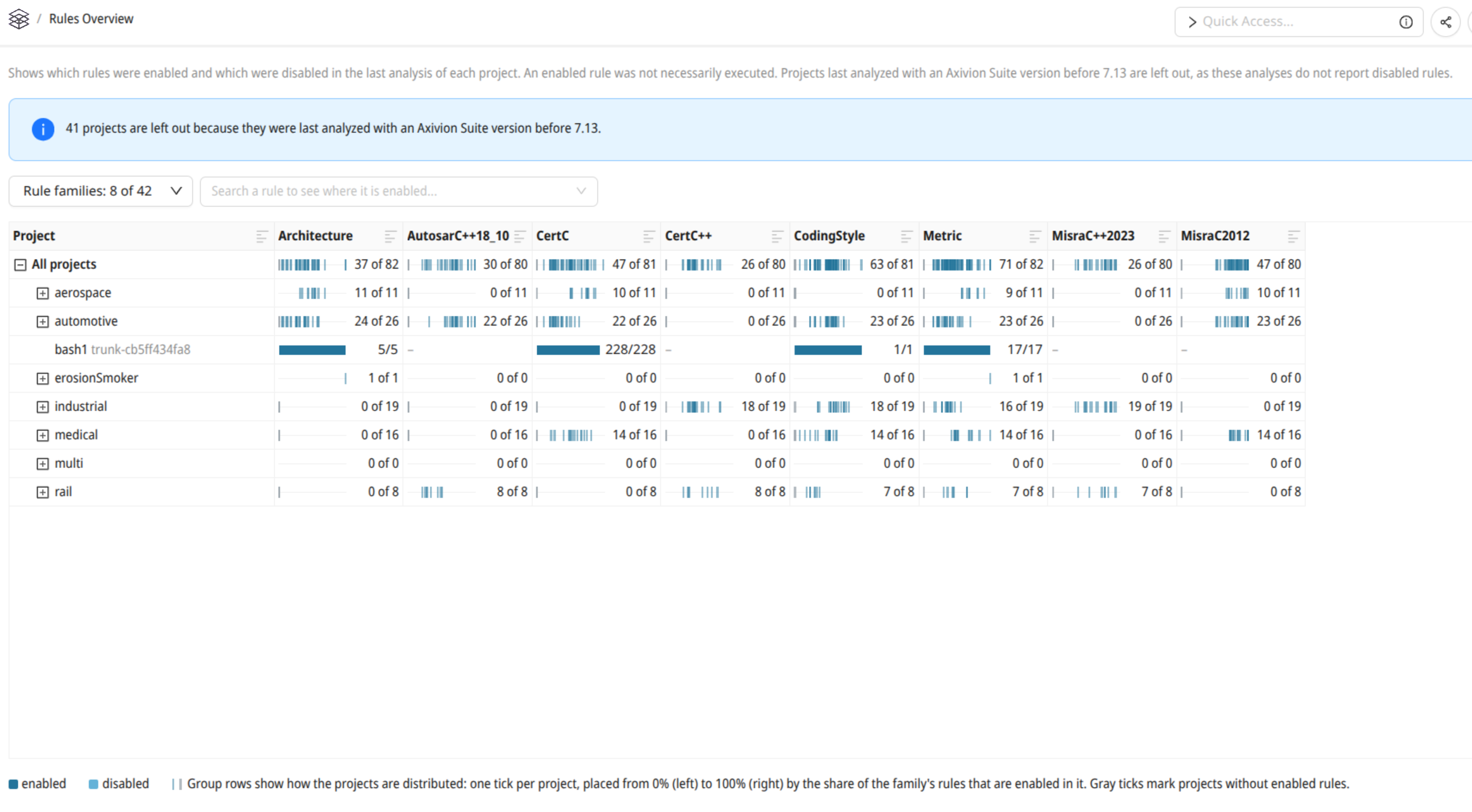
The Rules Overview page.
For each project, a rule has one of the following states:
- enabled
The rule was enabled in the last analysis.
- disabled
The rule was part of the last analysis, but disabled.
- not available
The Axivion Suite version of the last analysis does not contain the rule.
Rule Families
Rules are grouped into families by the part of their name before the first -,
e.g., CertC for CertC-EXP30. Each family selected with the
Rule families drop-down is shown as one column of the table. The
drop-down states for each family in how many projects at least one of its rules is
enabled. By default, the eight families enabled in the most projects are shown.
The selection is stored in the browser.
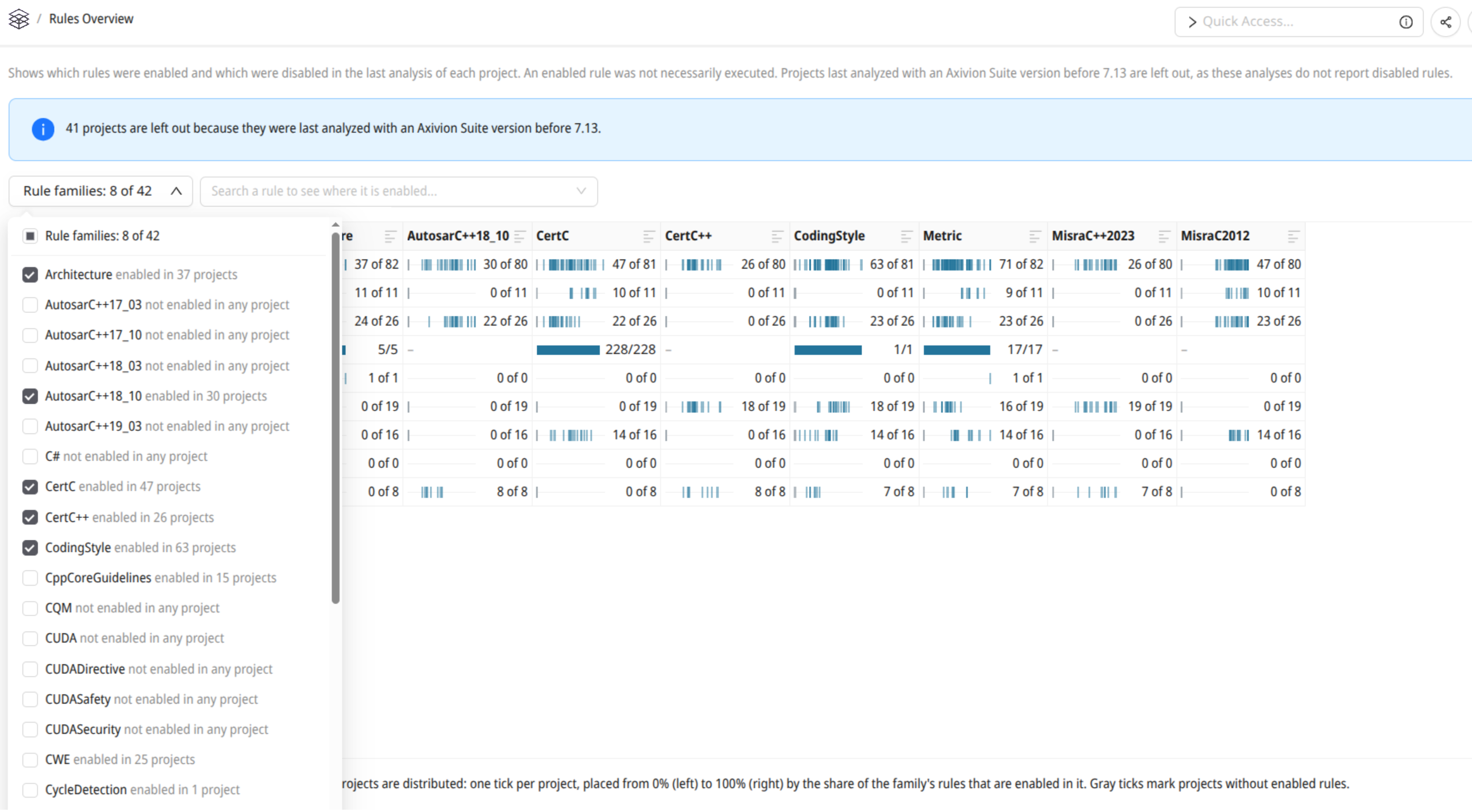
Selecting the rule families shown as columns.
Table
The table groups projects based on their names (see Section Project Hierarchies). Its top row summarizes all projects. Next to each project name, the table shows the Axivion Suite version of its last analysis.
In a project row, a family cell shows the number of enabled rules and the number of available rules of that family. Its tooltip also states the number of disabled rules. A dash marks a family that the Axivion Suite version of the last analysis does not contain. Clicking the cell opens a dialog that lists the rules of the family with their state in that project. The dialog can be filtered by rule name and by state.
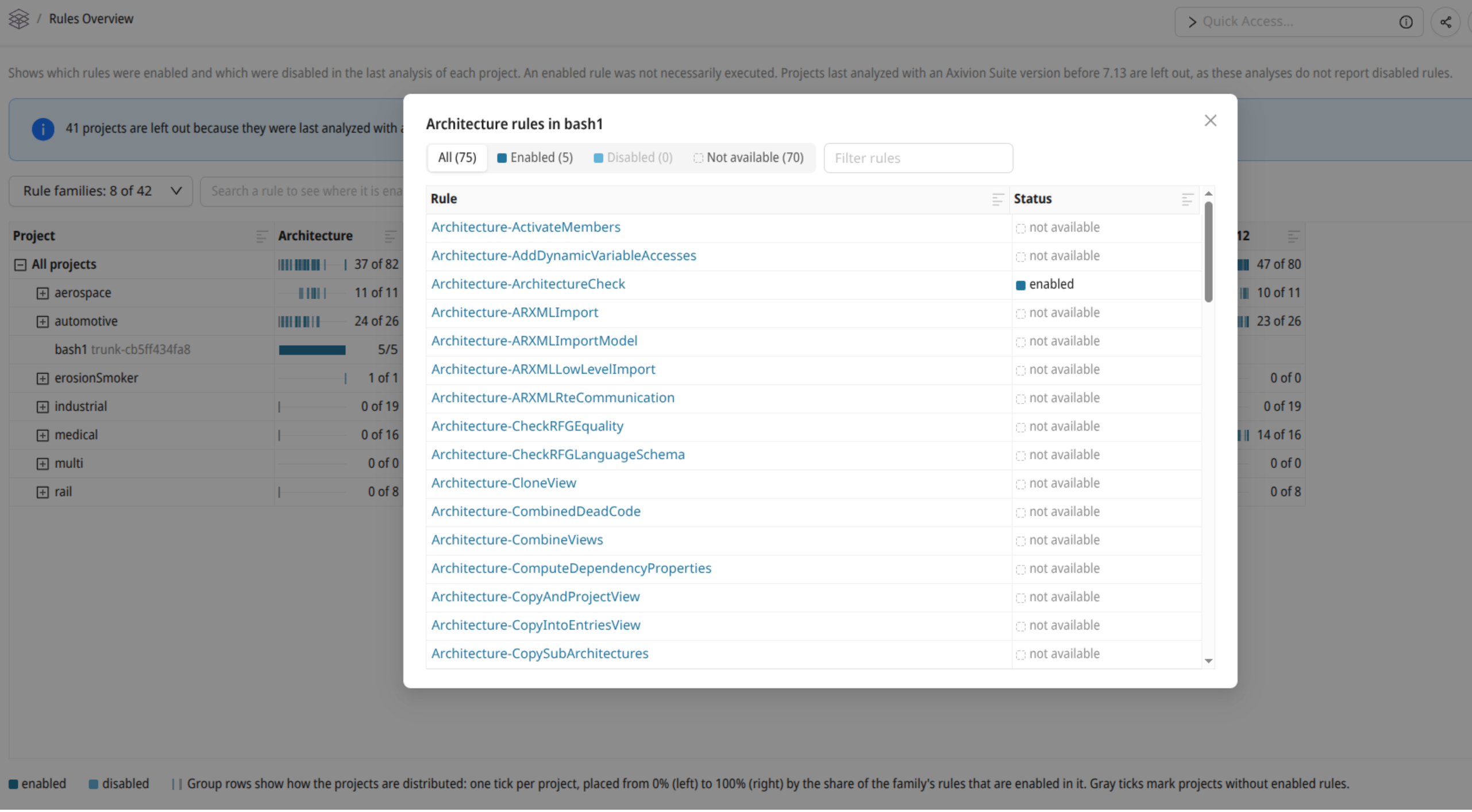
The rules of a family and their state in a project.
In a group row, a family cell shows in how many projects of the group at least one rule of the family is enabled, out of the projects in which the family is available. A bar below the number has one tick per such project, placed from 0% (left) to 100% (right) by the share of the family’s rules that are enabled in that project. Gray ticks mark projects without enabled rules. The tooltip lists the lowest, median and highest share, and the projects with the lowest share.
Selecting a Rule
To see in which projects a single rule is enabled, search for it in the rule picker
next to the Rule families drop-down, or click a rule name in the
dialog of a family cell. The table then shows an additional Selected
rule column with the state of the rule in each project, and a bar with the
distribution of the states in each group row.
With a rule selected, the buttons All, Enabled,
Disabled and Not available restrict the table to the
projects in which the rule has that state. Each button shows the number of such
projects. The selected rule is part of the page URL, so the link to the page can be
shared.