
OpenGL 가속화 시리즈 예제
이 예제는 QLineSeries 및 QScatterSeries에서 OpenGL 가속을 활성화하는 방법을 보여줍니다.
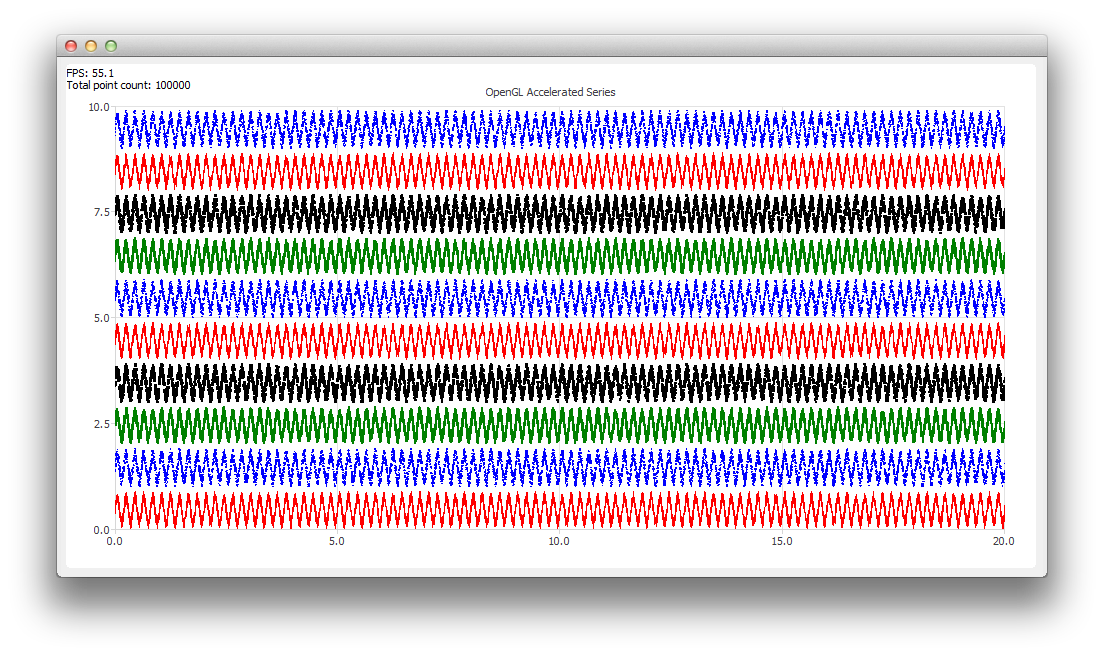
예제 실행
다음 위치에서 예제를 실행할 수 있습니다.
- Qt Creator
Welcome 모드를 열고 Examples 에서 예제를 선택하십시오. 자세한 내용은 Qt Creator: 튜토리얼: 빌드 및 실행을 참조하십시오.
- Qt Extension for Visual Studio Code
Command Palette 에서 Qt: Open Qt examples 명령을 실행하고 목록에서 예제를 선택하십시오. 자세한 내용은 Qt Extension for Visual Studio Code: 튜토리얼: 빌드 및 실행을 참조하십시오.
OpenGL 가속 활성화
OpenGL 가속 시리즈를 생성하려면, 일반 시리즈와 비교하여 QAbstractSeries::useOpenGL 속성을 true 로 설정하기만 하면 됩니다:
series->setUseOpenGL(true);이렇게 하면 차트가 투명한 QOpenGLWidget을 인스턴스화하여, 차트 위에 가속화된 시리즈를 그리는 데 사용합니다.
참고: OpenGL가속은 QLineSeries 및 QScatterSeries에서만 지원됩니다.
© 2026 The Qt Company Ltd. Documentation contributions included herein are the copyrights of their respective owners. The documentation provided herein is licensed under the terms of the GNU Free Documentation License version 1.3 as published by the Free Software Foundation. Qt and respective logos are trademarks of The Qt Company Ltd. in Finland and/or other countries worldwide. All other trademarks are property of their respective owners.
