
온도 조절기
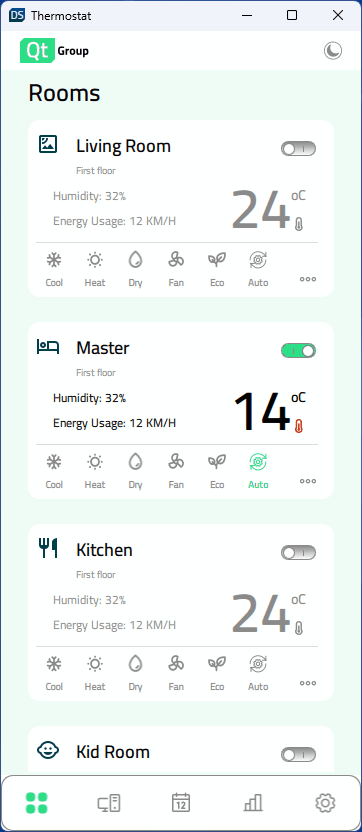
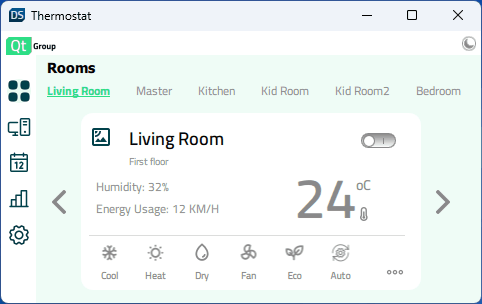
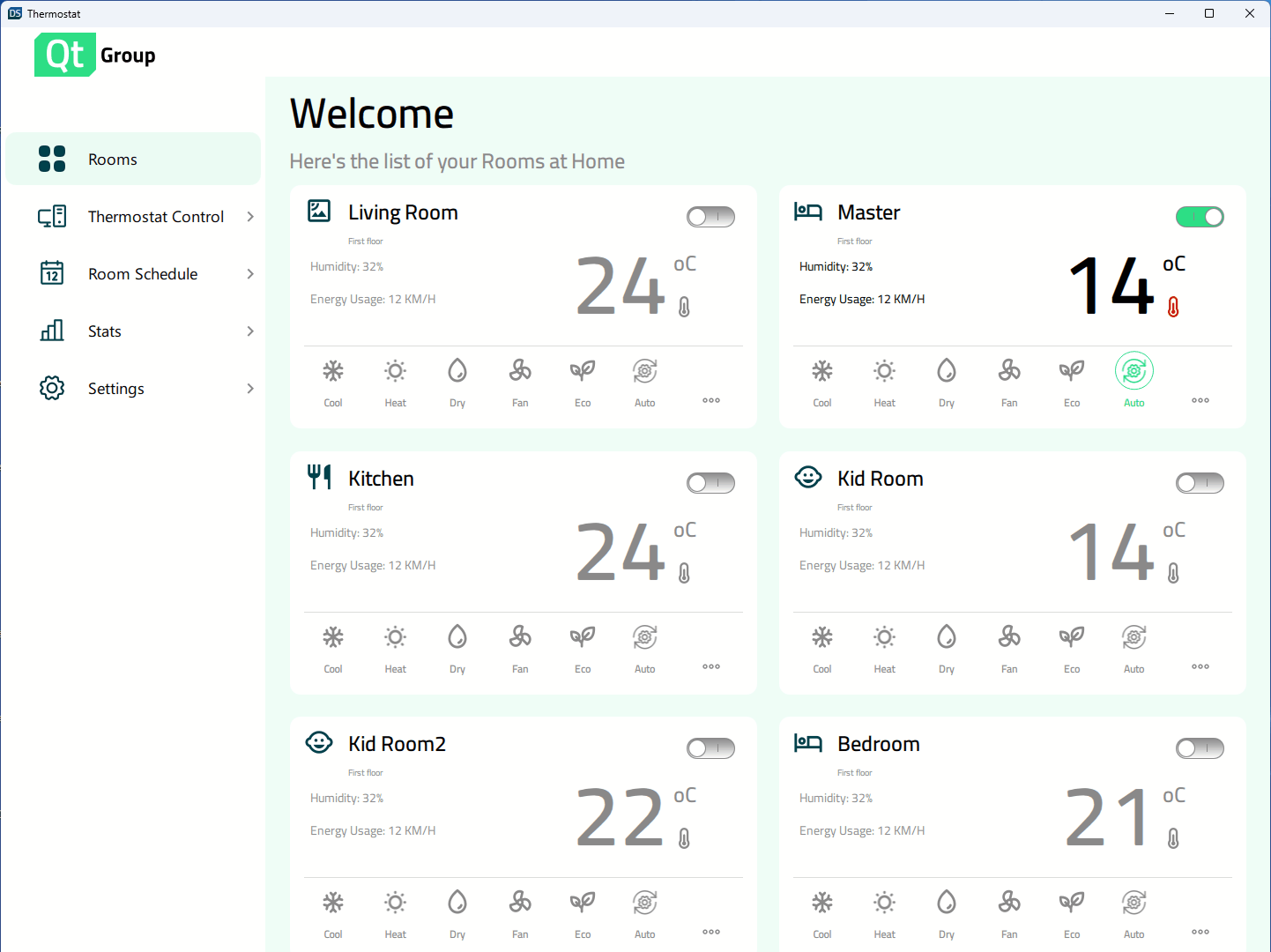
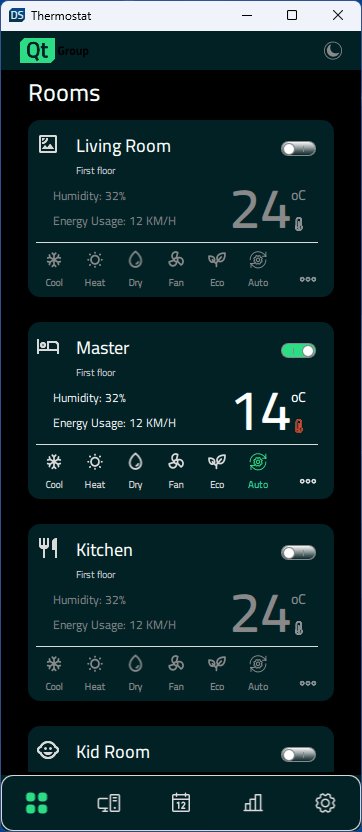
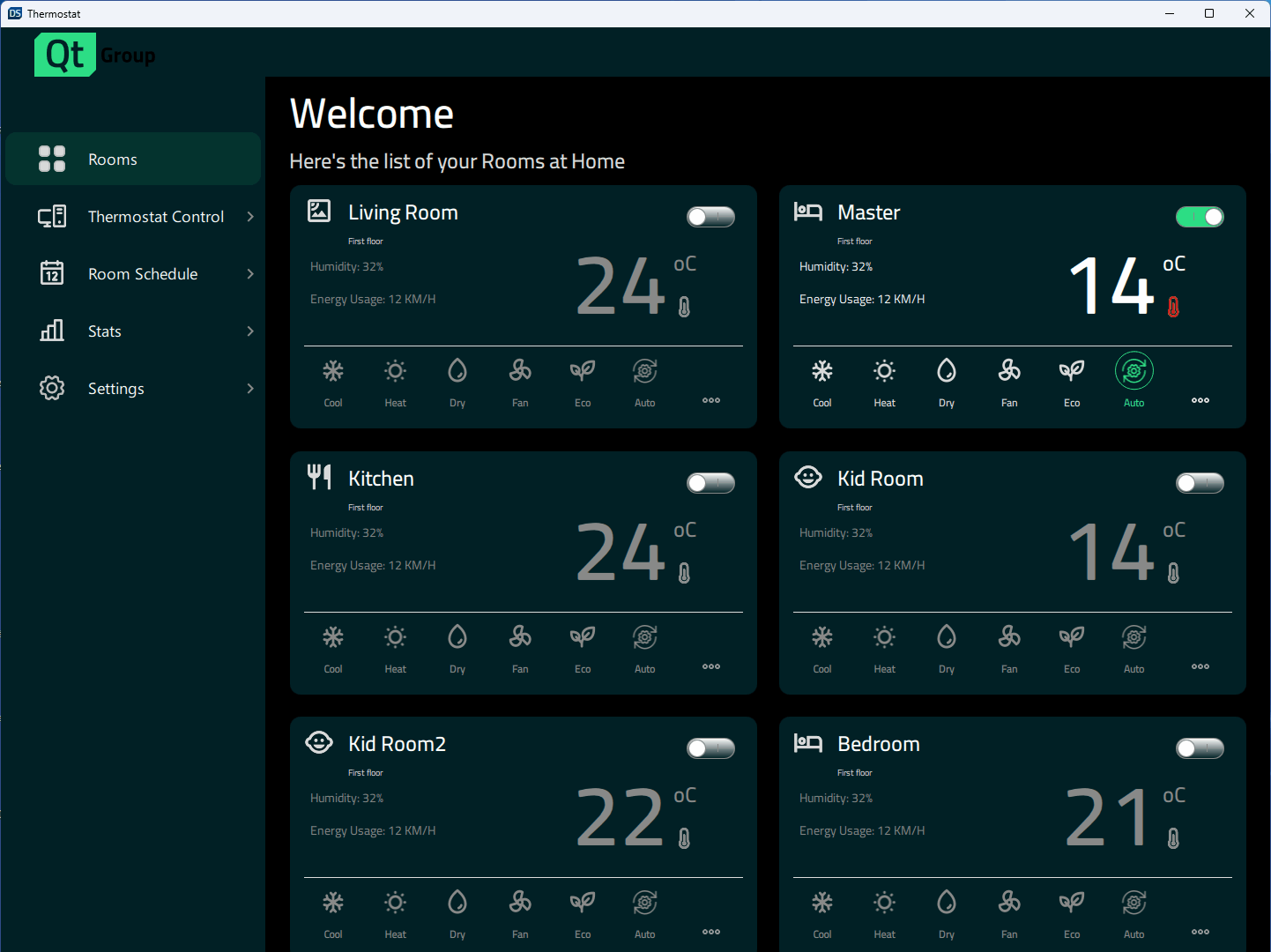
'온도 조절기' 예제는 창 크기에 따라 다양한 디자인을 구현하는 방법을 보여줍니다.
가정용 온도 조절기의 사용자 인터페이스로, Qt Quick 에서 대형 데스크톱 디스플레이부터 모바일 및 소형 임베디드 디스플레이에 이르기까지 다양한 크기에 맞춰 조정되는 반응형 애플리케이션을 만드는 방법을 보여줍니다.

예제 실행하기
다음 위치에서 예제를 실행할 수 있습니다:
- Qt Creator
Welcome 모드를 열고 Examples 에서 예제를 선택하십시오. 자세한 내용은 Qt Creator: 튜토리얼: 빌드 및 실행을 참조하십시오.
- Qt Extension for Visual Studio Code
Command Palette 에서 Qt: Open Qt examples 명령을 실행하고 목록에서 예제를 선택하십시오. 자세한 내용은 Qt Extension for Visual Studio Code: 튜토리얼: 빌드 및 실행을 참조하십시오.
반응형 디자인
이 애플리케이션은 다양한 디스플레이 크기를 지원합니다. 사용자가 창 크기를 변경하면 동적으로 크기가 조정되거나, 모바일 대상 기기에서 사용 가능한 디스플레이에 따라 애플리케이션이 적절한 크기를 선택합니다. ` Constants.qml `에는 디스플레이 크기를 지정하고 현재 사용 중인 레이아웃을 제어하는 속성이 포함되어 있습니다:
    property bool isBigDesktopLayout: layout === Constants.Layout.Desktop
    property bool isSmallDesktopLayout: layout === Constants.Layout.SmallDesktop
    property bool isMobileLayout: layout === Constants.Layout.Mobile
    property bool isSmallLayout: layout === Constants.Layout.Small
App.qml 에서 이러한 속성은 애플리케이션 시작 시 창의 높이와 너비에 바인딩됩니다:
    Component.onCompleted: {
        Constants.layout = Qt.binding(() => {
            let tall = window.height >= window.width
            if (window.width >= 1440 && window.height >= 520)
                return Constants.Layout.Desktop
            if (window.width >= 1024 && window.height >= 768)
                return Constants.Layout.SmallDesktop
            if (tall || (window.width >= 600 && window.height >= 380))
                return Constants.Layout.Mobile
            return Constants.Layout.Small
        })
    }
그런 다음 이러한 상태는 너비, 높이, 글꼴 크기, 위치, 레이아웃(열 또는 행)과 같은 컴포넌트의 속성을 제어하는 데 사용됩니다.
    states: [
        State {
            name: "bigDesktopLayout"
            when: Constants.isBigDesktopLayout
            PropertyChanges {
                target: statistics
                leftPadding: 53
                rightPadding: 53
                topPadding: 23
                bottomPadding: 43
            }
            PropertyChanges {
                target: scrollView
                isBackgroundVisible: false
                delegateWidth: 350
                delegateHeight: 182
                statisticsChartWidth: grid.width
                statisticsChartHeight: 647
            }
            PropertyChanges {
                target: grid
                width: 1100
            }
        },
        State {
            name: "smallDesktopLayout"
            when:  Constants.isSmallDesktopLayout
            PropertyChanges {
                target: statistics
                leftPadding: 53
                rightPadding: 53
                topPadding: 23
                bottomPadding: 43
            }
            PropertyChanges {
                target: scrollView
                isBackgroundVisible: false
                delegateWidth: 290
                delegateHeight: 182
                statisticsChartWidth: grid.width
                statisticsChartHeight: 541
            }
            PropertyChanges {
                target: grid
                width: 918
            }
        },
        State {
            name: "mobileLayout"
            when: Constants.isMobileLayout
            PropertyChanges {
                target: statistics
                leftPadding: 0
                rightPadding: 0
                topPadding: 0
                bottomPadding: 0
            }
            PropertyChanges {
                target: scrollView
                isBackgroundVisible: false
                delegateWidth: 327
                delegateHeight: 110
                statisticsChartWidth: 346
                statisticsChartHeight: 383
            }
        },
        State {
            name: "smallLayout"
            when: Constants.isSmallLayout
            PropertyChanges {
                target: statistics
                leftPadding: 0
                rightPadding: 0
                topPadding: 0
                bottomPadding: 0
            }
            PropertyChanges {
                target: scrollView
                isBackgroundVisible: true
                delegateWidth: 332
                delegateHeight: 90
                statisticsChartWidth: 420
                statisticsChartHeight: 240
            }
        }
    ]
소스 파일
참조: 모든 Qt 예제 및 Qt Quick 예제 및 튜토리얼.
© 2026 The Qt Company Ltd. Documentation contributions included herein are the copyrights of their respective owners. The documentation provided herein is licensed under the terms of the GNU Free Documentation License version 1.3 as published by the Free Software Foundation. Qt and respective logos are trademarks of The Qt Company Ltd. in Finland and/or other countries worldwide. All other trademarks are property of their respective owners.
