
간단한 HTTP 서버
HTTP 서버를 설정하는 방법에 대한 간단한 예시입니다.
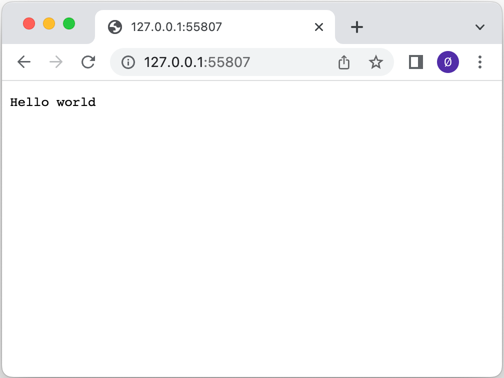
'간단한 HTTP 서버'는 ` QHttpServer ` 클래스를 사용하여 HTTP 서버를 설정하는 방법을 보여줍니다. 이 서버는 TCP 소켓 하나와 SSL 소켓 하나, 총 두 개의 소켓을 수신 대기합니다. ` route()` 함수의 사용법을 보여주기 위해 서로 다른 콜백이 설정되어 있습니다.
QHttpServer 객체가 생성되고, 간단한 route() 함수가 "/" 경로를 처리하여 Hello world 를 반환합니다:
QCoreApplication app(argc, argv);

QHttpServer httpServer;
httpServer.route("/", []() {
    return "Hello world";
});
그런 다음 서버의 리소스를 클라이언트에 제공하는 콜백을 등록합니다:
httpServer.route("/assets/<arg>", [] (const QUrl &url) {
    return QHttpServerResponse::fromFile(u":/assets/"_s + url.path());
});
여기서는 ` QHttpServerRequest ` 객체를 사용하여 클라이언트의 IP 주소를 반환합니다:
httpServer.route("/remote_address", [](const QHttpServerRequest &request) {
    return request.remoteAddress().toString();
});
경로 중 하나인 "/auth" 에서는 기본 HTTP 인증이 사용됩니다:
httpServer.route("/auth", [](const QHttpServerRequest &request) {
    auto auth = request.value("authorization").simplified();

    if (auth.size() > 6 && auth.first(6).toLower() == "basic ") {
        auto token = auth.sliced(6);
        auto userPass = QByteArray::fromBase64(token);

        if (auto colon = userPass.indexOf(':'); colon > 0) {
            auto userId = userPass.first(colon);
            auto password = userPass.sliced(colon + 1);

            if (userId == "Aladdin" && password == "open sesame")
                return QHttpServerResponse("text/plain", "Success\n");
        }
    }
    QHttpServerResponse resp("text/plain", "Authentication required\n",
                             QHttpServerResponse::StatusCode::Unauthorized);
    auto h = resp.headers();
    h.append(QHttpHeaders::WellKnownHeader::WWWAuthenticate,
             R"(Basic realm="Simple example", charset="UTF-8")");
    resp.setHeaders(std::move(h));
    return std::move(resp);
});
그런 다음 addAfterRequestHandler() 함수를 사용하여, route()에 등록된 콜백에 의해 처리된 후의 QHttpServerResponse 객체에 HTTP 헤더를 추가함으로써 응답을 변경합니다:
httpServer.addAfterRequestHandler(&httpServer, [](const QHttpServerRequest &, QHttpServerResponse &resp) {
    auto h = resp.headers();
    h.append(QHttpHeaders::WellKnownHeader::Server, "Qt HTTP Server");
    resp.setHeaders(std::move(h));
});
특정 포트를 수신 대기하는 QTcpServer 는 bind() 함수를 사용하여 HTTP 서버에 바인딩됩니다:
auto tcpserver = std::make_unique<QTcpServer>();
if (!tcpserver->listen()|| !httpServer.bind(tcpserver.get())) {
    qWarning() << QCoreApplication::translate("QHttpServerExample",
                                             "서버가 포트에서 수신 대기하는 데 실패했습니다.");
    return-1;
}
quint16 port = tcpserver->serverPort();
tcpserver.release();
그리고 QSslConfiguration 를 사용하여 QHttpServer 에 대한 SSL 구성을 생성해 HTTPS 트래픽을 처리합니다:
QSslConfiguration conf = QSslConfiguration::defaultConfiguration();
const auto sslCertificateChain =
        QSslCertificate::fromPath(QStringLiteral(":/assets/certificate.crt"));
if (sslCertificateChain.empty()) {
    qWarning() << QCoreApplication::translate("QHttpServerExample",
                                             "파일에서 SSL 인증서를 가져올 수 없습니다.");
    return-1;
}
QFile privateKeyFile(QStringLiteral(":/assets/private.key"));
if (!privateKeyFile.open(QIODevice::ReadOnly)) {
    qWarning() << QCoreApplication::translate("QHttpServerExample",
                                             "파일을 읽기 모드로 열 수 없습니다: %1")
                  .arg(privateKeyFile.errorString());
    return-1;
}

conf.setLocalCertificate(sslCertificateChain.front());
conf.setPrivateKey(QSslKey(&privateKeyFile, QSsl::Rsa));
conf.setAllowedNextProtocols({ QSslConfiguration::ALPNProtocolHTTP2 }); // HTTP/2 지원 추가

privateKeyFile.close();

auto sslserver = std::make_unique<QSslServer>();
sslserver->setSslConfiguration(conf);
if (!sslserver->listen()|| !httpServer.bind(sslserver.get())) {
    qWarning() << QCoreApplication::translate("QHttpServerExample",
                                             "서버가 해당 포트에서 수신 대기하는 데 실패했습니다.");
    return-1;
}
quint16 sslPort = sslserver->serverPort();
sslserver.release();
모든 설정이 완료되면, 남은 것은 들어오는 요청을 처리하기 시작하는 것뿐입니다:
return app.exec();파일:
이미지:
© 2026 The Qt Company Ltd. Documentation contributions included herein are the copyrights of their respective owners. The documentation provided herein is licensed under the terms of the GNU Free Documentation License version 1.3 as published by the Free Software Foundation. Qt and respective logos are trademarks of The Qt Company Ltd. in Finland and/or other countries worldwide. All other trademarks are property of their respective owners.

