
Qt Quick 3D - 세부 수준 도우미 예시
LOD 헬퍼의 사용법을 보여줍니다.
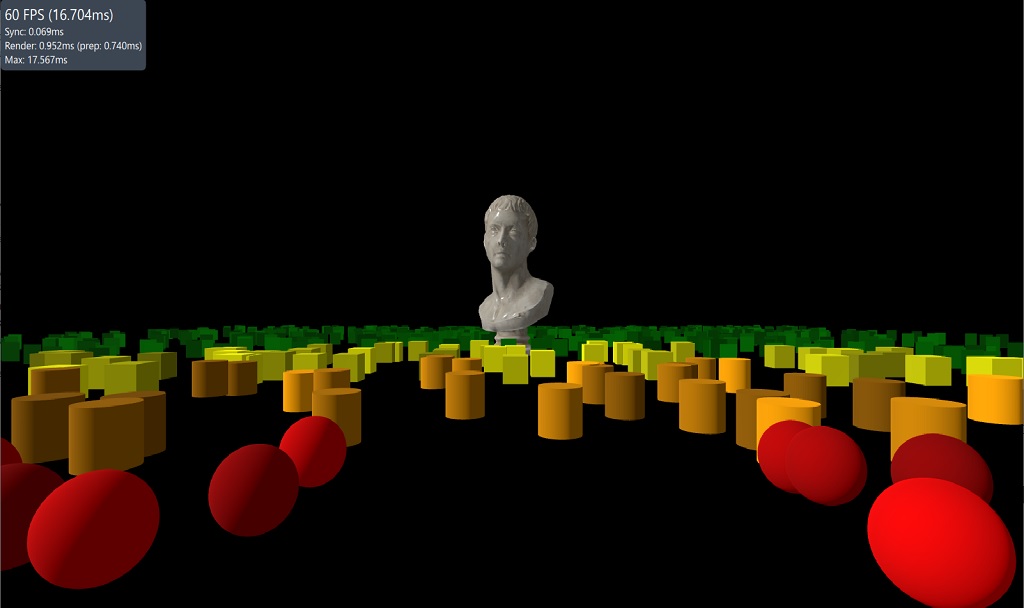
이 예제는 LODManager 헬퍼의 사용법을 보여줍니다. LODManager는 지정된 카메라와의 거리를 기준으로 노드의 자식 요소 가시성을 변경하는 방식으로 작동합니다. distances 속성은 자식 요소의 가시성이 변경되는 시점을 결정하는 거리 임계값 목록입니다. 가장 가까운 자식 요소는 첫 번째에 표시되고, 가장 먼 자식 요소는 마지막에 표시됩니다.
LodManager {
    camera: camera
    distances: [100, 140, 180]
    fadeDistance: 10

    Model {
        scale: Qt.vector3d(100, 100, 100);
        source: "meshes/marble_bust_01_LOD_0.mesh"
        materials: [ marbleMaterial ]
    }

    Model {
        scale: Qt.vector3d(100, 100, 100);
        source: "meshes/marble_bust_01_LOD_1.mesh"
        materials: [ marbleMaterial ]
    }

    Model {
        scale: Qt.vector3d(100, 100, 100);
        source: "meshes/marble_bust_01_LOD_2.mesh"
        materials: [ marbleMaterial ]
    }

    Model {
        scale: Qt.vector3d(100, 100, 100);
        source: "meshes/marble_bust_01_LOD_3.mesh"
        materials: [ marbleMaterial ]
    }
}© 2026 The Qt Company Ltd. Documentation contributions included herein are the copyrights of their respective owners. The documentation provided herein is licensed under the terms of the GNU Free Documentation License version 1.3 as published by the Free Software Foundation. Qt and respective logos are trademarks of The Qt Company Ltd. in Finland and/or other countries worldwide. All other trademarks are property of their respective owners.
