
Qt Widgets Designer 통합
Qt Widgets Designer 는 스타일 시트를 미리 보기 위한 훌륭한 도구입니다. Designer에서 임의의 위젯을 마우스 오른쪽 버튼으로 클릭하고 ‘ Change styleSheet... ’를 선택하여 스타일 시트를 설정할 수 있습니다.
Qt Widgets Designer에서 양식 편집하기" src="images/designer-stylesheet-options.webp" title="Qt Widgets Designer에서 양식 편집하기"/>
Qt Widgets Designer 또한 스타일 시트 구문 강조 표시기 및 유효성 검사기가 포함되어 있습니다. 유효성 검사기는 ‘ Edit Style Sheet ’ 대화 상자의 왼쪽 하단에서 구문이 유효한지 여부를 표시합니다.
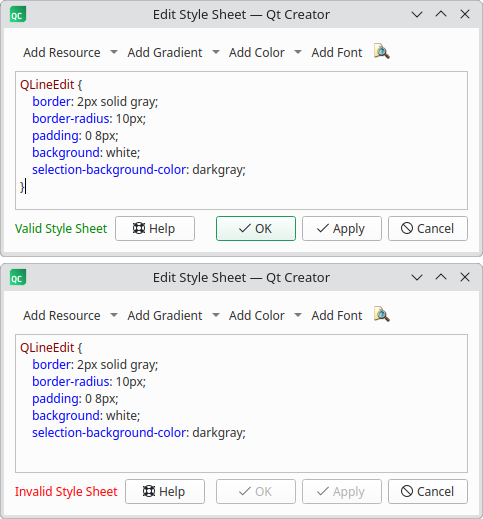
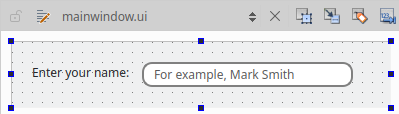
' OK ' 또는 ' Apply'을 클릭하면, Qt Widgets Designer 에서 해당 위젯이 새로운 스타일시트로 적용된 상태로 자동으로 표시됩니다.
© 2026 The Qt Company Ltd. Documentation contributions included herein are the copyrights of their respective owners. The documentation provided herein is licensed under the terms of the GNU Free Documentation License version 1.3 as published by the Free Software Foundation. Qt and respective logos are trademarks of The Qt Company Ltd. in Finland and/or other countries worldwide. All other trademarks are property of their respective owners.
