
実行するカスタム実行ファイルを指定する
Mesonまたは汎用プロジェクトタイプを使用する場合、あるいはカスタムデスクトップ実行ファイルを実行したい場合は、プロジェクト用に「Custom Executable 」の実行構成を作成してください。たとえば、ライブラリの開発を行っている場合、そのライブラリをリンク対象としたテストアプリケーションを実行できます。
実行するカスタム実行ファイルを指定するには:
- 「Add 」>「Custom Executable 」を選択します。
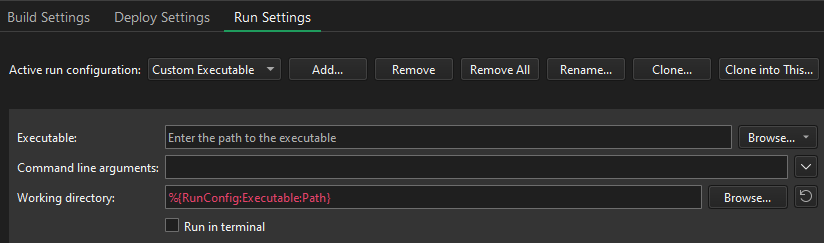
- 「Executable 」で、実行ファイルへのパスを指定します。
- 「Command line arguments 」で、実行するファイルのパスを入力します。
「実行のためのプロジェクトの設定」および「既存のプロジェクトのインポート」も参照してください 。
Copyright © The Qt Company Ltd. and other contributors. Documentation contributions included herein are the copyrights of their respective owners. The documentation provided herein is licensed under the terms of the GNU Free Documentation License version 1.3 as published by the Free Software Foundation. Qt and respective logos are trademarks of The Qt Company Ltd in Finland and/or other countries worldwide. All other trademarks are property of their respective owners.
