
编辑 CMake 配置文件
要打开CMakeLists.txt 文件进行编辑,请在Projects 视图中右键单击该文件,然后选择“Open With ”>“CMake Editor ”。
您还可以使用定位器中的“cmo ”筛选器,在编辑器中打开当前运行配置对应的CMakeLists.txt 文件。这与通过“Build ”菜单选择“Build for Run Configuration ”时所针对的构建目标相同。
支持以下功能:
- 当光标位于以下位置时按F2:
- 文件名——用于打开该文件
- CMake 函数、宏、选项、目标、CMake 的 Find 或 Include 模块、由
set或list创建的局部变量,或包 - 跳转至该项
- 关键字补全
- 针对本地函数和变量、缓存变量、
ENV、目标、包以及由find_package添加的变量的代码补全 - 用于设置 CMake 打印属性和变量、创建 Qt 控制台和 GUI 应用程序以及示例 Find 模块的预定义代码片段
- 路径补全
- 自动缩进
- 匹配括号和引号
警告和错误会在“问题”中显示。
安装缺失的 Qt 软件包
如果您在“find_package ”中添加了一个尚未安装的 Qt 模块,Qt Creator 会在“Issues ”视图中创建一个条目,并提供通过“Qt Online Installer ”安装缺失组件的选项。
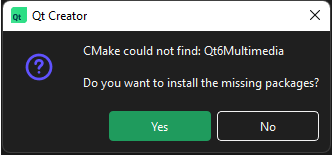
点击该链接,即可通过Qt Online Installer 安装该软件包。
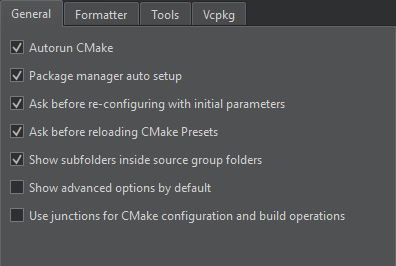
若要关闭这些提示,请转至Preferences >CMake >General ,并取消勾选Maintenance Tool dependency provider 。
另请参阅 《教程:使用 CMake 构建》、《CMake》、《代码补全》和《代码片段》。
Copyright © The Qt Company Ltd. and other contributors. Documentation contributions included herein are the copyrights of their respective owners. The documentation provided herein is licensed under the terms of the GNU Free Documentation License version 1.3 as published by the Free Software Foundation. Qt and respective logos are trademarks of The Qt Company Ltd in Finland and/or other countries worldwide. All other trademarks are property of their respective owners.
