
检查语言客户端
Qt Creator 会向语言服务器发送消息(请求),如果语言服务器能够处理这些请求,则会收到包含所请求信息的响应。要检查Qt Creator 与语言服务器之间的通信并查看服务器功能,请选择“Tools ” > Debug Qt Creator >Inspect Language Clients 。
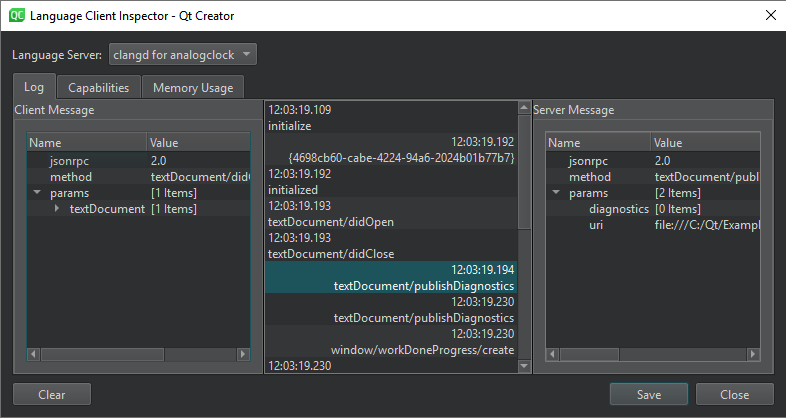
在“Language Server ”中选择一个正在运行的语言服务器。显示的信息取决于该语言服务器。
对于通用语言服务器,语言服务器首选项中“Startup behavior ”字段的值决定了服务器何时启动。要重启语言服务器,请在编辑器工具栏上选择 ,然后选择Restart 。
Log 显示所选日志条目的附加信息。您可以查看“Client Message ”和“Server Message ”的“Content length ”和“MIME type ”,以及检查“Qt Creator ”与语言服务器之间传输的数据。
要删除旧条目,请选择Clear 。
检查语言服务器功能
在“Capabilities ”中,您可以检查语言服务器是否具备执行特定任务的能力。您无法在此对话框中修改服务器功能。
您可以查看该功能对应的Name 、Value 和Type 。
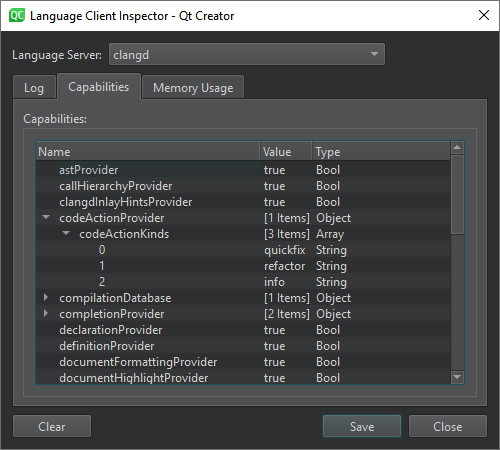
对于某些语言服务器,Dynamic Capabilities 会列出可用的Methods 和Options 。
检查内存使用情况
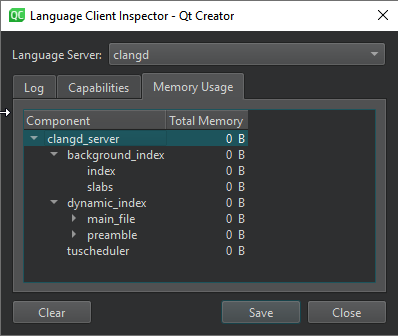
对于 clangd 服务器,您可以在Memory Usage 中查看特定组件占用的总内存量。
另请参阅 《如何:管理语言服务器》和《管理语言服务器》。
Copyright © The Qt Company Ltd. and other contributors. Documentation contributions included herein are the copyrights of their respective owners. The documentation provided herein is licensed under the terms of the GNU Free Documentation License version 1.3 as published by the Free Software Foundation. Qt and respective logos are trademarks of The Qt Company Ltd in Finland and/or other countries worldwide. All other trademarks are property of their respective owners.
