
安装插件
Qt Marketplace提供了指向Qt Creator 插件的链接,您可以免费下载并安装这些插件,或按发布者设定的价格进行购买。
您还可以从其他来源(例如GitHub)安装插件。
注意:您 只能安装Qt Creator 当前版本所支持的插件。
要安装插件:
- 转到About Plugins > “Install Plugin ”(插件管理器)。
- 在“Source ”对话框中,输入包含该插件的存档或库的路径。
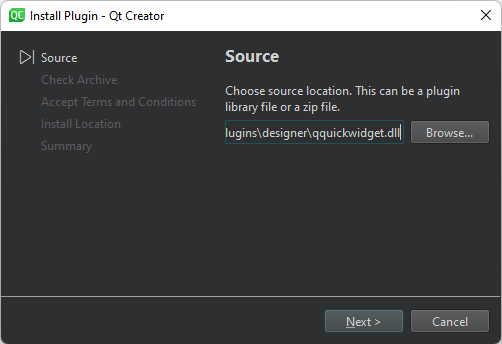
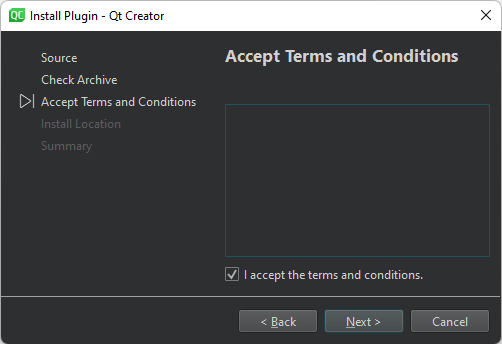
- 在“Accept Terms and Connections ”对话框中,选择“I accept terms and conditions ”。
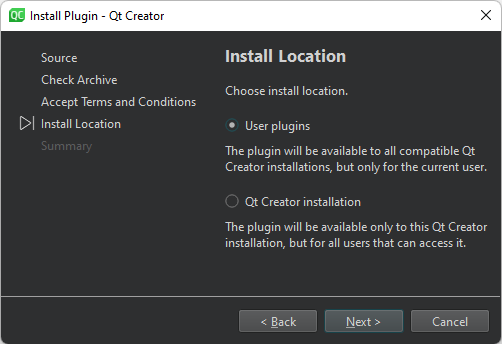
- 在“Install Location ”对话框中,选择“User plugins ”,以便在所有兼容的“Qt Creator ”实例中为当前用户提供该插件,或者 Qt Creator installation 使该插件可供特定Qt Creator 实例中的所有用户使用。
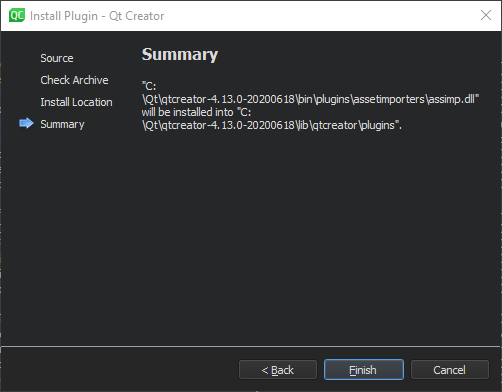
- 在“Summary ”对话框中,选择“Finish ”以安装该插件。
- 选择“Restart Now ”以重启“Qt Creator ”并加载该插件。
另请参阅 “启用和禁用插件”、“安装”以及“获取并安装 Qt”。
Copyright © The Qt Company Ltd. and other contributors. Documentation contributions included herein are the copyrights of their respective owners. The documentation provided herein is licensed under the terms of the GNU Free Documentation License version 1.3 as published by the Free Software Foundation. Qt and respective logos are trademarks of The Qt Company Ltd in Finland and/or other countries worldwide. All other trademarks are property of their respective owners.
