
选择换行符样式
要在 Windows 行结束符(CRLF)和 Unix 行结束符(LF)之间切换,请在“Edit ”模式下,从编辑器工具栏 (3) 中选择相应的行结束符样式。
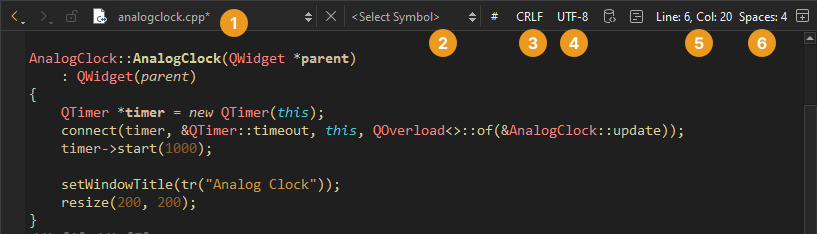
若要隐藏此字段,请转至“Preferences ” > “Text Editor ” > “Display ”,并取消勾选“Display file line ending ”。
设置默认样式
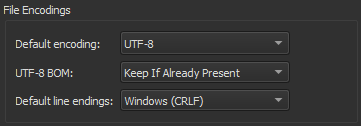
要设置所有项目默认使用的行尾格式,请转至Preferences >Text Editor >Behavior ,并在“Default line endings ”中选择相应的行尾样式。
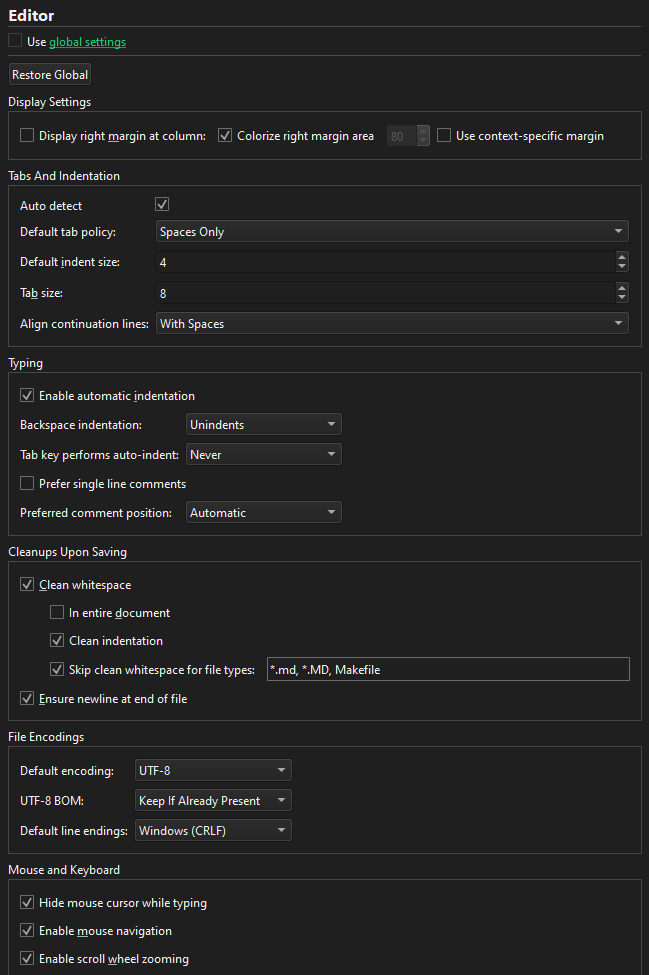
若要为某个项目设置行尾格式,请转至Projects >Project Settings >Editor 。
Copyright © The Qt Company Ltd. and other contributors. Documentation contributions included herein are the copyrights of their respective owners. The documentation provided herein is licensed under the terms of the GNU Free Documentation License version 1.3 as published by the Free Software Foundation. Qt and respective logos are trademarks of The Qt Company Ltd in Finland and/or other countries worldwide. All other trademarks are property of their respective owners.
