
创建组件实例
Qt Quick Designer 提供了预设组件,您可以通过创建这些组件的实例并在 UI 中使用它们。
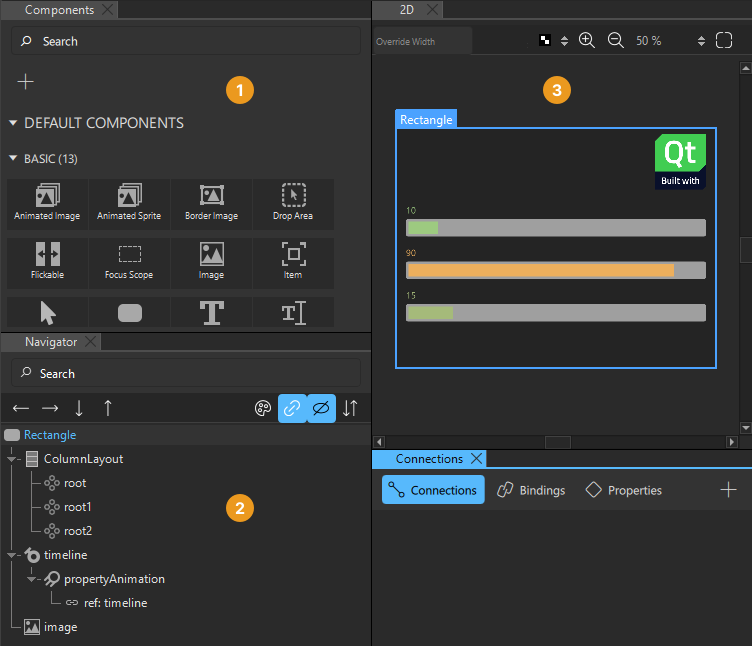
要创建组件实例并编辑其属性:
- 将组件从“Components ”(1)拖动到“Navigator ”(2)或“2D ”(3)视图中。这将在当前组件文件中创建这些组件的实例。
- 在“Navigator ”中选中组件实例,即可在“Properties ”中编辑其属性值。
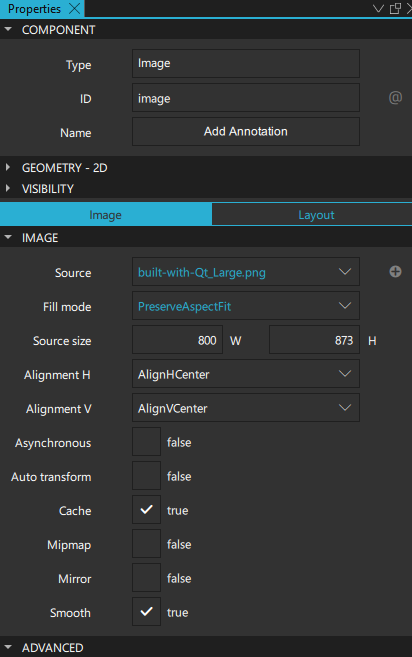
有关更多信息,请参阅“设置基本组件属性”。
- 若要以“Qt Quick Designer”默认不支持的方式更改组件实例的外观和行为,您可以在“Connections ”视图的“Properties ”选项卡上定义自定义属性。
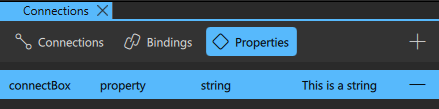
有关详细信息,请参阅“添加自定义属性”。
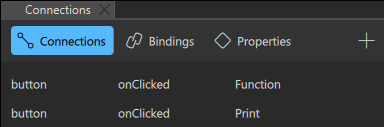
- 要让用户能够与组件实例进行交互,请将实例连接到信号。例如,您可以指定当点击某个组件实例时会发生什么。有关详细信息,请参阅“将组件连接到信号”。
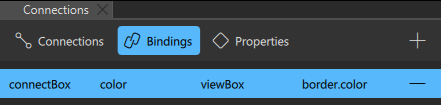
- 若要在另一个组件实例发生变化时动态更改该组件实例的行为,请在“Connections ”视图的“Bindings ”选项卡中在它们之间创建绑定。有关详细信息,请参阅“在属性之间添加绑定”。
- 在“States ”视图中添加状态,以对一个或多个组件实例的属性值应用一组更改。有关详细信息,请参阅“使用状态”。
- 在“Timeline ”视图中为组件实例的属性添加动画效果。有关详细信息,请参阅“创建时间轴动画”。
另请参阅 《操作指南:使用 UI 组件》、《Qt Quick UI 设计》以及《设计Qt Quick UI》。
Copyright © The Qt Company Ltd. and other contributors. Documentation contributions included herein are the copyrights of their respective owners. The documentation provided herein is licensed under the terms of the GNU Free Documentation License version 1.3 as published by the Free Software Foundation. Qt and respective logos are trademarks of The Qt Company Ltd in Finland and/or other countries worldwide. All other trademarks are property of their respective owners.
