
使用状态
要为组件和组件实例设置状态,请转至“View ” > “Views ” > “States ”,然后选择“ ”。
”。
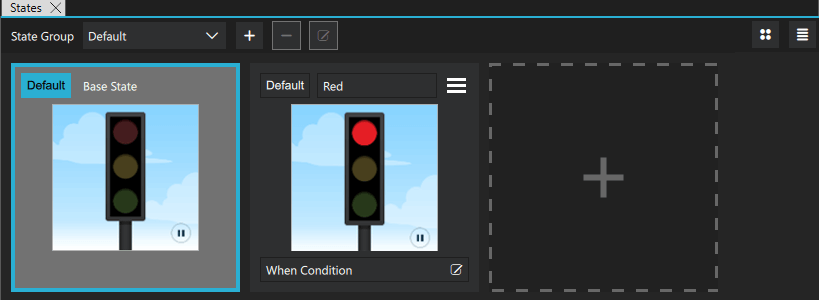
在“2D ”视图中选择新状态以切换至该状态,然后在“Properties ”中修改组件或组件实例属性的值。
例如,要更改按钮的外观,您可以在按钮组件中定义状态,以隐藏按钮图像并显示另一张图像来替代,或者更改按钮的背景色或文字颜色。当您在其他组件中使用该按钮的实例时,可以通过定义状态来隐藏或显示按钮组件实例,从而创建不同的界面。Components 中的预设Button控件 > Qt Quick Controls >Controls 中,预设的“按钮”控件已预定义了“正常”和“按下”两种状态。
若要为屏幕添加动态效果,您可以在“2D ”视图中更改组件实例的位置,然后为状态之间的切换添加动画。
在某个状态中更改的属性会以蓝色突出显示。在“Code ”视图或“Edit ”模式下,您可以看到这些更改被记录为对基础状态的修改。
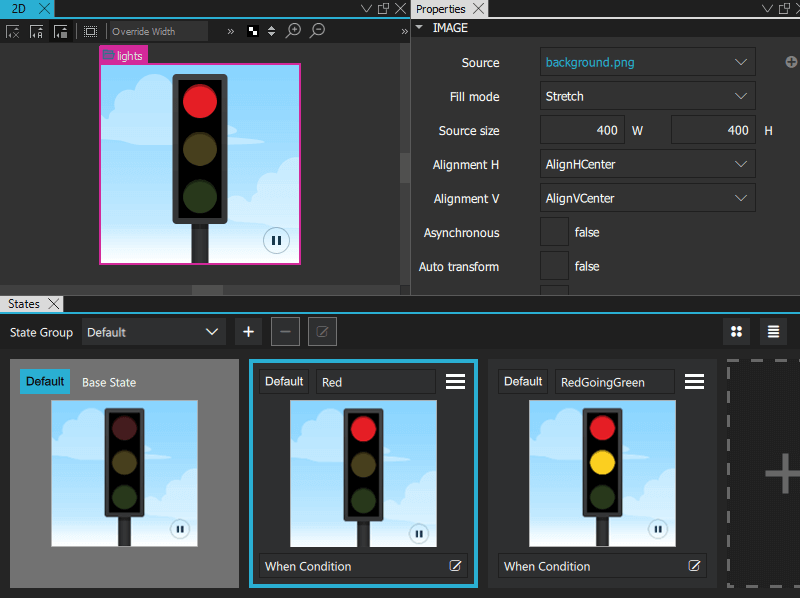
注意:如果您已在 “Navigator ”中锁定了某个组件,且尝试删除其中修改了属性值的状态,系统会提示您确认是否删除。
有关使用状态的更多信息,请观看以下视频:
另请参阅 《如何:设计Qt Quick 用户界面》、《如何:使用状态》、《Qt Quick 用户界面设计》以及《设计Qt Quick 用户界面》。
Copyright © The Qt Company Ltd. and other contributors. Documentation contributions included herein are the copyrights of their respective owners. The documentation provided herein is licensed under the terms of the GNU Free Documentation License version 1.3 as published by the Free Software Foundation. Qt and respective logos are trademarks of The Qt Company Ltd in Finland and/or other countries worldwide. All other trademarks are property of their respective owners.
