
プロジェクトへのファイルの追加
新しいファイルを作成するには、特定のファイル形式のプリセットを選択します:
- Welcome に移動し、[New project] を選択します。
- 「File 」で、ファイルの種類を選択します。
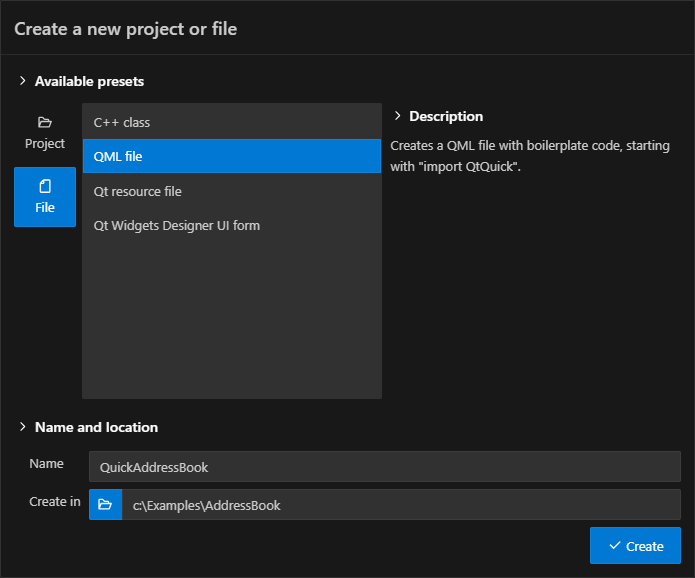
- 「Name 」で、ファイル名を入力します。
- 「Create in 」で、ファイルのパスを入力します。
- Options で、ファイルの種類に応じてオプションを設定します。
- 「Create 」を選択して、ファイルを作成します。
- 新しいファイルの内容を編集します。
選択したオプションを使用して、カスタムプリセットを作成することができます。
「チュートリアル:Qt Widgets アプリケーション」および「Qt プロジェクトの作成」も参照してください 。
© 2026 The Qt Company Ltd. Documentation contributions included herein are the copyrights of their respective owners. The documentation provided herein is licensed under the terms of the GNU Free Documentation License version 1.3 as published by the Free Software Foundation. Qt and respective logos are trademarks of The Qt Company Ltd in Finland and/or other countries worldwide. All other trademarks are property of their respective owners.
